All posts by Miles

Cryogenic Labels

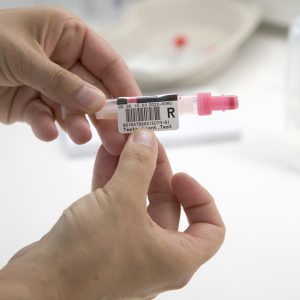
labelled sample tubes for cryogenic treatment

❄️Don't get caught out in the cold❄️

If you work in a laboratory, or an industry that requires Cryogenic Labels, then you know how important it is to have a reliable product. Exposing the wrong type of label to extreme cold can shock the material, leading to your label peeling off, resulting in the loss of critical information. 

Imagine trying to locate one of the hundreds of biological samples in cold storage, but the key sample information has peeled away. Not only could that cost you time, money or credibility, but it may also result in the loss of a customer and damage to your brand reputation.

How can I identify my frozen samples?

Expert Labels can find you a perfect match for your unique application. Can hand-written markings contain all your necessary info? Is it readable? Perhaps you would like to create a digital library by allocating a barcode to each individual sample. 

Can I freeze my labels?

Identifying the perfect type of label for your application is of paramount importance. Many labels may peel, smudge, crack or delaminate when exposed to extreme cold. Others may be fine in long-term cold storage, but fail when snap-frozen, or maybe you need identification that is robust enough to handle the dry-heat of an autoclave, as well as cryo-storage. If the key information is damaged, or otherwise illegible, the value of the sample will be lost.

What is label delamination?

During label manufacture, different layers are applied to each other to create the finished product. Use of the wrong type of label for your low-temperature applications risks the individual material components failing. This can mean the label can crack, smudge, bleed and, in some cases, the individual layers, such as the top-coat, facestock and adhesive can delaminate.

Label delamination is the failure of multiple labels layers, resulting in the layers separating away from each-other and the label peeling away. This can lead to wasted time, trying to identify a mystery vial, or find a specific sample belonging to a customer.

The strong, permanent adhesive on our Cryogenic Labels is chemically inert and ideal for any and all low-temperature applications that need to be clearly displayed and quickly identified.  They are easily applied, even to frozen surfaces, such as sample tubes, vials, metal racks or beakers stored in liquid nitrogen.

How do I print cryogenic labels?

Cryogenic Labels are available on rolls for in-house printing using a thermal transfer printer, or alternatively they can be provided on laser printed sheets, to better fit with more conventional printing techniques.

Both roll or sheet-formatted labels can hold detailed information such as batch numbers and barcodes, maintaining 100% of the information even if printed using very small font sizes. They can even be branded. The print is smudge-resistant and guarantees exceptional quality of logos, text or barcode images. Switching to cryogenic labels will help to eliminate human error caused by illegible handwriting, or mislabelled samples.

We'll help you find the perfect match for your unique application.

Our Cryogenic Labels offer a durable bond and are able to withstand the cold of dry ice and dunking into liquid nitrogen at -196°C. This is ideal for the reliable recognition of sample containers undergoing long-term deep freezing or other cryogenic treatment. They come in dot and rectangular shapes, in a range of differing sizes, so we will be able to easily match the perfect product to your labelling needs.

These products are ideal for forensic, biomedical, environmental and agricultural laboratory applications. For any laboratory or industry that works with temperature-sensitive or biological material, these Cryogenic Labels show great chemical and temperature resistance. As well as extreme cold, they can withstand the heat of autoclaves. Perfect if your application cycles through several contrasting temperatures.

As always, we are here to help. If you have a question, or specific requirement you would like to discuss with us, cryogenic or not, please get in touch with our. Email sales@expertlabels.co.uk or call us on 01359 271 111, we’d love to hear from you.

2023 Predictions for the Labelling Industry

Banner of Barcode Labels on Pink Background

With nearly thirty years of working in the labelling and barcoding industry – we’ve put together our predictions for what you’ll see happening this year.

More progress with digital printing

Digital printing is like printing with a desktop inkjet or laser printer – but on a larger scale. Digital printing means no need for traditional printing plates (plates are like the potatoes you would have used at primary school making potato print artwork). With digital there’s no mixing inks and no setup and cleaning the machinery between printing jobs. The result is a faster printing process and reduced setup costs. Digital printing also enables manufacturers to produce unique labels – for example with sequential serial numbers or unique competition codes on each label.

In 2023 more label makers are going to invest in digital label printing presses. Small presses are becoming more affordable and even the smallest of label printing operations will take the risk and buy a digital press. Continuing on the theme of digital printing, label makers who have already invested in a digital press will buy more powerful equipment – printing presses that are faster and and wider – competing better with traditional plate-based printing presses.

Material Prices

We’ll still see a rise in label material prices and the energy costs of running a factory will continue to go up – leading to rises in the price of labels. Our prediction is that prices won’t stabilise for another six months. Another factor affecting label pricing are the after-effects of the Finnish paper mill strike that lasted four months and ended in April 2022. Finland is Europe’s largest paper producer and it’s taken months for paper stocks to start to come back to normal – that is still having an influence on pricing today.

In April 2022 the UK’s plastic tax put more upward pressure on plastic labels – which will continue to influence label prices upwards for a few more months.

Supply Chain Disruptions

The supply chain disruption to electronics and thermal printers is still evident. One order for a thermal printer we placed in September 2021 is still awaiting delivery. Thermal printing hardware is still not plentiful and there have been price rises every few months from the major manufacturers. We’re hopeful that hardware stocks will return to normal by the middle of 2023, but we don’t think we will see any major price discounting.

The last part of our 2023 predictions includes the influence of the ongoing shortage of labour, not only here in the UK but around the industrialised world. We’ve seen this play out with recruiting staff for ourselves. We’ve been fortunate to find some great new recruits – the process just takes longer to find them. Much production work was performed by European migrants, but with access to low cost and willing migrants now blocked by Brexit there will be a push to raise productivity and automate.

We don’t see any evidence of the UK government inviting unskilled workers into the country and so we don’t see the workforce challenges changing significantly unless there is a recession that leads to lay offs and skilled workers being released into the workforce. Will we see a recession – our guess is probably yes. For how long? We’re planning for the majority of 2023, but some analysts think it may be shorter.

Summary

In summary, we do think the end of 2023 will be better than the end of 2022. Upward price influences that have been particularly acute in labelling (paper shortages and plastic taxes) will have worked through and prices will stay stable. The supply chain for electronics will become more free flowing but labour shortages will carry on through to the end of 2023.


As always, we are here to help. If you have a question, or specific requirement you would like to discuss, please get in touch. 

Email joe@expertlabels.co.uk or call us on 01359 271 111, we’d love to hear from you.
How to Use Zebra OneCare

We’ve written this short guide to using Zebra OneCare so you know what to do if your label printer stops working. 

If you have visited this page you probably know what OneCare is, but just in case you don’t:

  • Zebra OneCare is service and support for Zebra hardware. 
  • You buy cover when you first buy your printer.
  • There are a number of repair options – next day replacement printer, on-site repairs or return to workshop.

Finding your way around Zebra’s website isn’t easy so we’ve written this simple step-by-step guide to help.

1. Visit https://supportcommunity.zebra.com/

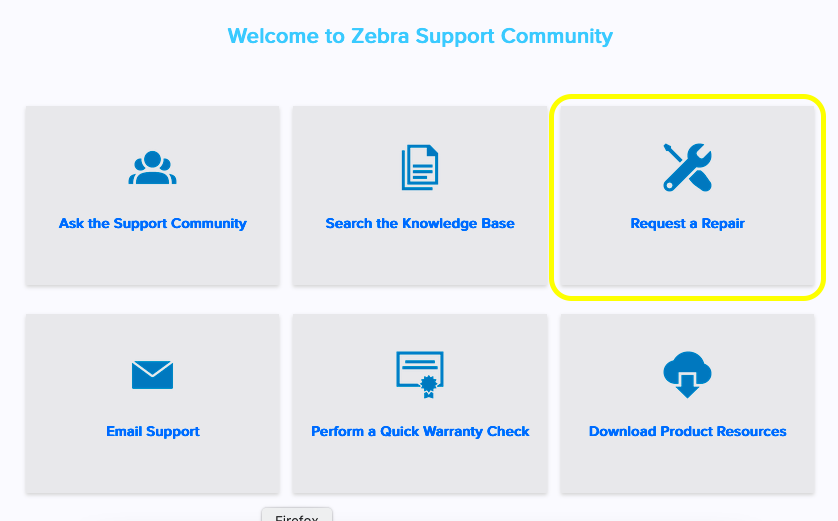
Part-way down the page you’ll find these tiles

Zebra Support Community Screen

2. Choose Request a Repair

3. Choose the Repair Request Form

4. Initiate a repair.  You’ll be asked for the printer serial number and if the printer has OneCare cover this will initiate the repair process with Zebra.  

Depending on the OneCare cover you have, you’ll be sent an engineer or a box (to put your faulty printer into).

Useful Links

Visit the Zebra website to find out about Zebra’s OneCare program – click here.

Last Updated: 20 Jul 2022

How to Print Labels with NiceLabel

NiceLabel is a hybrid labelling system with cloud storage for label designs and a PC-based design and test print element.  NiceLabel is one of the leading labelling systems alongside Seagull Scientific’s BarTender.  Established in 1993, the company has been around for more than 25 years, has more than 100 employees and was recently bought by the global software company Loftware. This article will show you how to print labels with NiceLabel.

We’re going to cover:

  • Getting NiceLabel
  • What you get when you download it

Let’s look at how you can get started printing labels with NiceLabel.

Starting with NiceLabel

First – visit the NiceLabel downloads page here and download Designer and Desktop Solutions

Loftware, NiceLabel’s publishers, requires you to talk to us before you gain access to the NiceLabel Cloud.  You’ll receive a demo to understand how to use it before getting a demo account to trial it.  Call us on 01359 271 111 or email info@expertlabels.co.uk to get started with NiceLabel Cloud.

Once you have your NiceLabel login, this is what happens.

NiceLabel Cloud

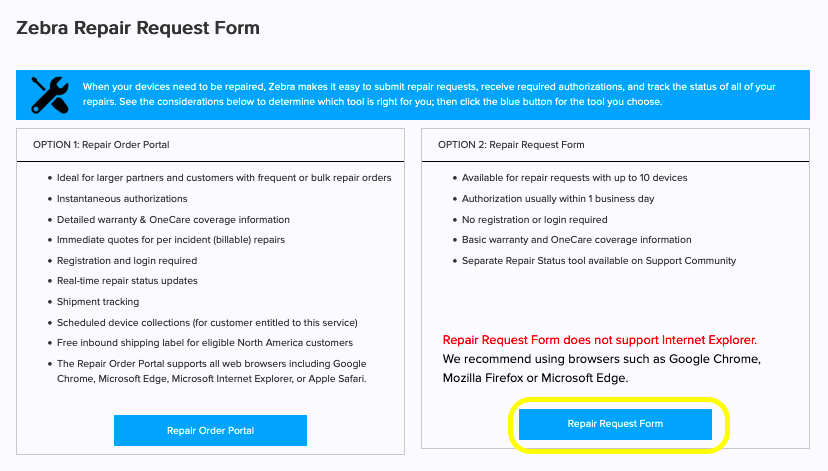
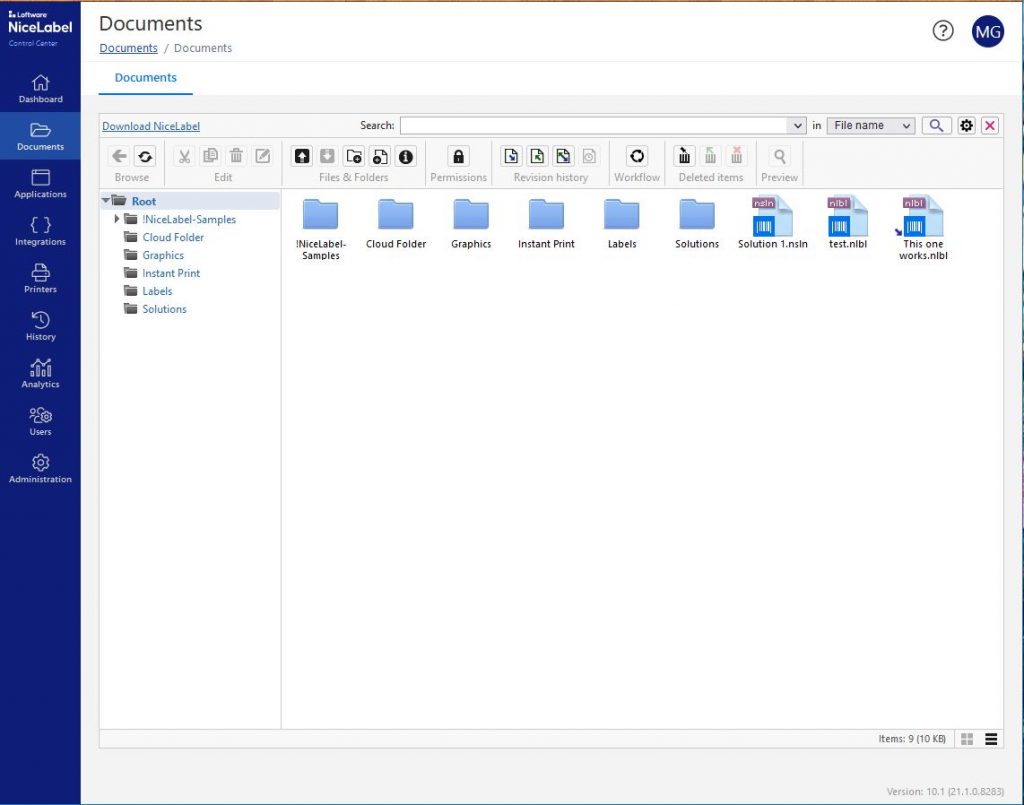
NiceLabel Control Centre

Log in to NiceLabel control centre.

Use the web-based Nicelabel control centre to manage, print, analyse and store your labels.  You can also approve label designs for printing in the control centre.

From the NiceLabel control centre, you’re able to download the web printing client and label designer software.  Download the Web printing client – the software that enables you to print directly from the cloud.

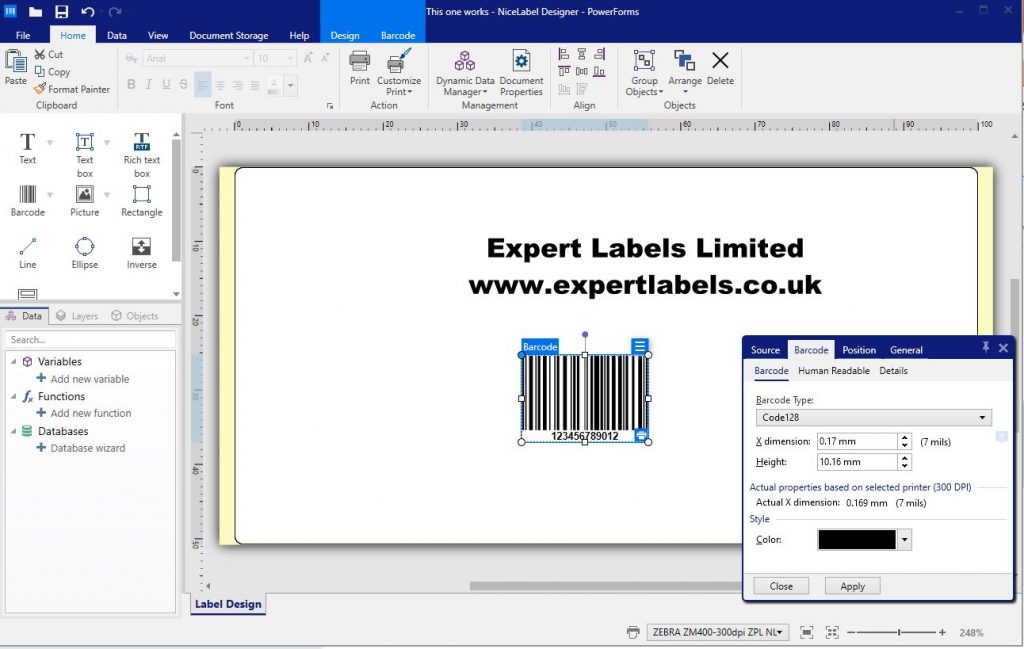
NiceLabel Designer

Use NiceLabel Designer to design and print labels. 

The designer is PC based. Please note, NiceLabel is not available for Apple Macs at the moment.

On your browser visit the NiceLabel downloads page here and install the local elements of NiceLabel. You can also find these apps in the NiceLabel control centre. 

Download the label design component of NiceLabel.

NiceLabel Powerforms

Once it’s downloaded, open NiceLabel Designer and activate your licence.

Use Designer to design and test print your labels. Once you’re happy, save the labels. You have a choice where to save them – locally or in a cloud folder.

I designed a label using the Nicelabel Designer app, test printed it and saved it to the cloud.

Printing Labels from NiceLabel

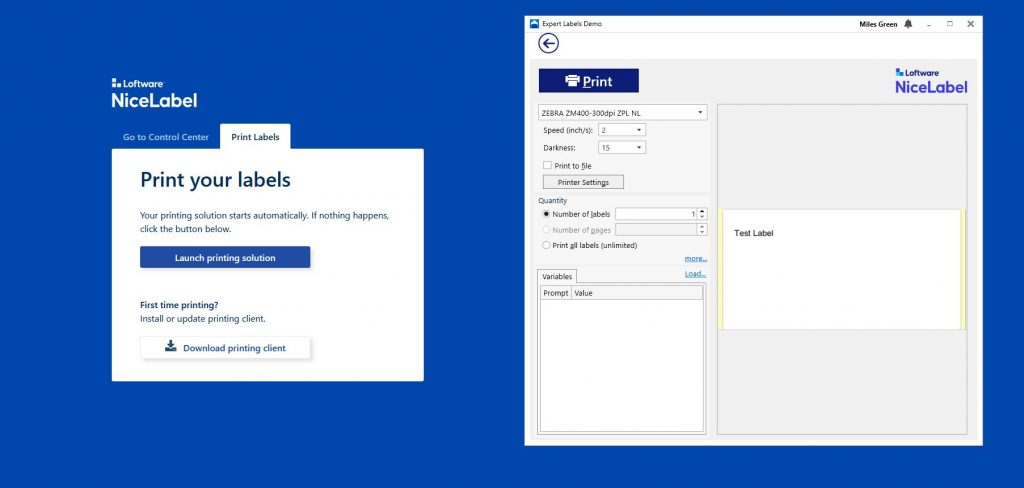
From cloud printing, you can see all the labels you have available to you in your cloud folders.  Choose what you want to print from the thumbnail images provided, select how many labels you want to print and choose the printer you want to print to.

Click the print button and watch the labels print.

NiceLable Cloud Printing

Using NiceLabel

NiceLabel is widely considered one of the best label design systems available.
 
To find out more about NiceLabel and to book a demonstration, contact us at info@expertlabels.co.uk.

Useful Links

Download NiceLabel

Updated 13 Jul 22.

Validate your Labelling System

Zebra Printers printing

Validation is used a lot in the pharmaceutical and food production industries. If you need to validate your labelling system but don’t know where to start?  Start here… 

  1. What is meant by validating your labelling systems?
  2. Do you need to validate your labelling system?
  3. Writing up a functional requirements specification (what do you want your labelling system to do)
  4. What hardware, consumables and software do you need in order to test?
  5. Designing an operational qualification (OQ) protocol.
  6. What evidence do you need?
  7. What needs to be validated – the data populating the label and the sources of data.

Validation is used a lot in the pharmaceutical and food production industries. 

What is Validating a Labelling System?

In a nutshell, validating a labelling system is how you evidence that your label printing process produces the same quality of printed labels every time.

You need to know what it is expected to do, write out all the steps and conditions involved – documenting all the settings – and test that it does as you say it will.

Your label printing process must be consistent – you can’t have inconsistently unreadable labels.

We work with international clients both remotely and in person on validation projects.  Contact us for help with your project.

Do You Need to Validate Your Labelling System?

Not everything in a manufacturing process needs to be validated.  High-risk parts of your manufacturing process, that carry a high risk to consumer safety, should be prioritised over low-risk processes. 

Using risk management tools, we can define a list of critical quality attributes (CQA) that describe a pharmaceutical or food production process.

Elements of a labelling system can have a critical effect on products.  The wrong use-by date, the wrong product name or incorrect allergy information could have potentially fatal consequences for consumers. 

Because of the potential harm mislabelling can cause, you do need to validate your labelling systems.

How to Validate Your Labelling System

Let’s start with deciding what outcomes you are looking for.

A clear unambiguous specification of the labels you need.  This is known as Functional Requirements Specification (FRS).

This might include:

  • Barcode using the correct symbology (code 128, Datamatrix) and is readable
  • Barcode includes all the correct information
  • The text is large enough to read and remains legible for the life of the product – i.e. if it’s exposed to chemicals or heat
  • Dosage information is clear and correct
  • The label adhesive sticks for the life of the product
  • The data is correct on each label (i.e. the correct batch code)
  • The printer is able to print labels of the required size range
  • An audit trail of what’s been printed and by whom
  • Permissions for different people to create, edit and approve labels
  • Must be able to incorporate variable data such as lot number, expiration date, serial numbers & randomised numbers in the label design
  • Must be able to read data from CSV files, databases & spreadsheets
  • Must be able to alter data within the software without the need to make changes outside the system & re-import

Put Together Your Labelling System

Normally, you spend time in process design – building a prototype production system. 

Luckily with labelling, the design process is relatively quick, as the options for label design software and printers are limited. 

Once you know what you want – draw up a specification of the hardware, software and consumables you need. 

You will need an installation qualification (IQ) document – a checklist of items to ensure everything is installed to specification.

If you need help, contact us to put together an IQ for you.
An example of this might be

  1. Zebra desktop ZD421 printer
  2. BarTender Label Design Software – Enterprise Edition
  3. CSV data file
  4. 75mm x 50mm Cryogenic labels made in a factory with BRC A accreditation on rolls of 500 delivered on a 38mm core.
  5. Wax resin thermal ribbons – 74m x 89mm.

Using these components you’re able to begin testing your labels. 

Desktop label printer, labels, ribbon and CD

Draw Up Your Operational Qualification Protocol

Now you know what your labelling system needs to do, and you have assembled your labelling equipment, it’s time to draw up the tasks (known as a protocol) that will test what your system does and what it needs to do.

For example –

    1. Load printer with thermal ribbons. 

Load printer with Zebra 2300 black wax thermal ribbon.  Close the print head.  Wait for the printer to calibrate.  Feed through five additional labels to ensure the ribbon isn’t wrinkled. 

Adjustments must be made to the printer printhead temperature (darkness) and speed settings in the software to ensure the label print quality is acceptable.

You will need different labels and ribbon combinations to test to ensure the best results.  Contact us  for samples for your testing.

Approving Your Validation

Validation is normally designed by a production or labelling specialist. 

The protocols are then checked over by a quality assurance (QA) specialist.

The last part of the validation process is the operational qualification – OQ.

The document is then signed off by the author and a QA specialist.

What Evidence do You Need?

Samples of printed labels.

Validate your labels

Getting Help with Your Validation

So you know you need to validate your labelling system for your food or pharmaceutical operation and are ready to get started.

We’ve installed dozens of labelling systems for clients, large and small, around the world. 

If you want help with your validation and want to save time, contact us for help and advice. 

Visit our contact us page and get in touch.

Useful Links

Training your staff to use the thermal label printer

You’ve been given the task to train your staff how to use your thermal transfer printer. 

With more than 20 years training people to use label printers, we’ve created a handy activity sheet to keep trainees active during training.  You can print it out and use it.

  • A note about learning
  • Know your printer
  • Switching your printer on
  • Loading it with labels and ribbons
  • Cleaning your label printer
  • Speed and darkness settings on thermal printers
  • Printhead problems  – and using the pressure toggles (found on industrial printers).
  • Useful links

A note about Learning

Having spent a couple of years as a teacher – I’ve come to understand how people learn.

I expect you know this intuitively – but let me summarise…

People learn best by doing – so have your trainees get hands on with the printer.  Use exercises to help learning.

If you talk at people they’ll switch off – so train your team by asking questions and have them think.  It might be slower, but it will produce better results.

Use our downloadable handouts and have your staff makes notes they can refer back to.

A Tour of your Label Printer

Let’s start with a look around your label printer.

Desktop Label Printer

On the outside of the printer you’ll find a latch or latches so you can open the case to load it.

The latches are yellow – in the case of Zebra printers – or might be purple or green with other brands.

Zebra ZD420 Printer

The on/off switch can be at the front or back of the printer.

Status lights such as power on, paper out, network connected and ribbon lights are at the front usually.

Finally – most printers have buttons to feed labels, pause printing and cancel print jobs.

Zebra ZD230 Rear Image

Usually at the rear you’ll find the USB, network connectors and power socket, as you can see with this ZD230 printer.

You can also see a slot for labels at the back of the printer.  If you need to use fan fold labels this is where you feed the blank labels into the printer.

Zebra ZT411

Industrial Printers

Usually, with these larger printers,  one side opens up entirely.

Inside you have easy access to the label hanger, printhead, ink ribbon supply and take up spools.

Controls are at the front of most industrial printers.

The thermal printhead is what a thermal printer is all about. It’s the printhead that heats up and either melts the thermal ribbon onto the label – or heats up and reacts with the heat sensitive coating on a direct thermal label.

A dirty printhead will mean that tiny white lines will appear on your labels. 

Dirt also increases printhead wear to a point where it will need to be replaced.

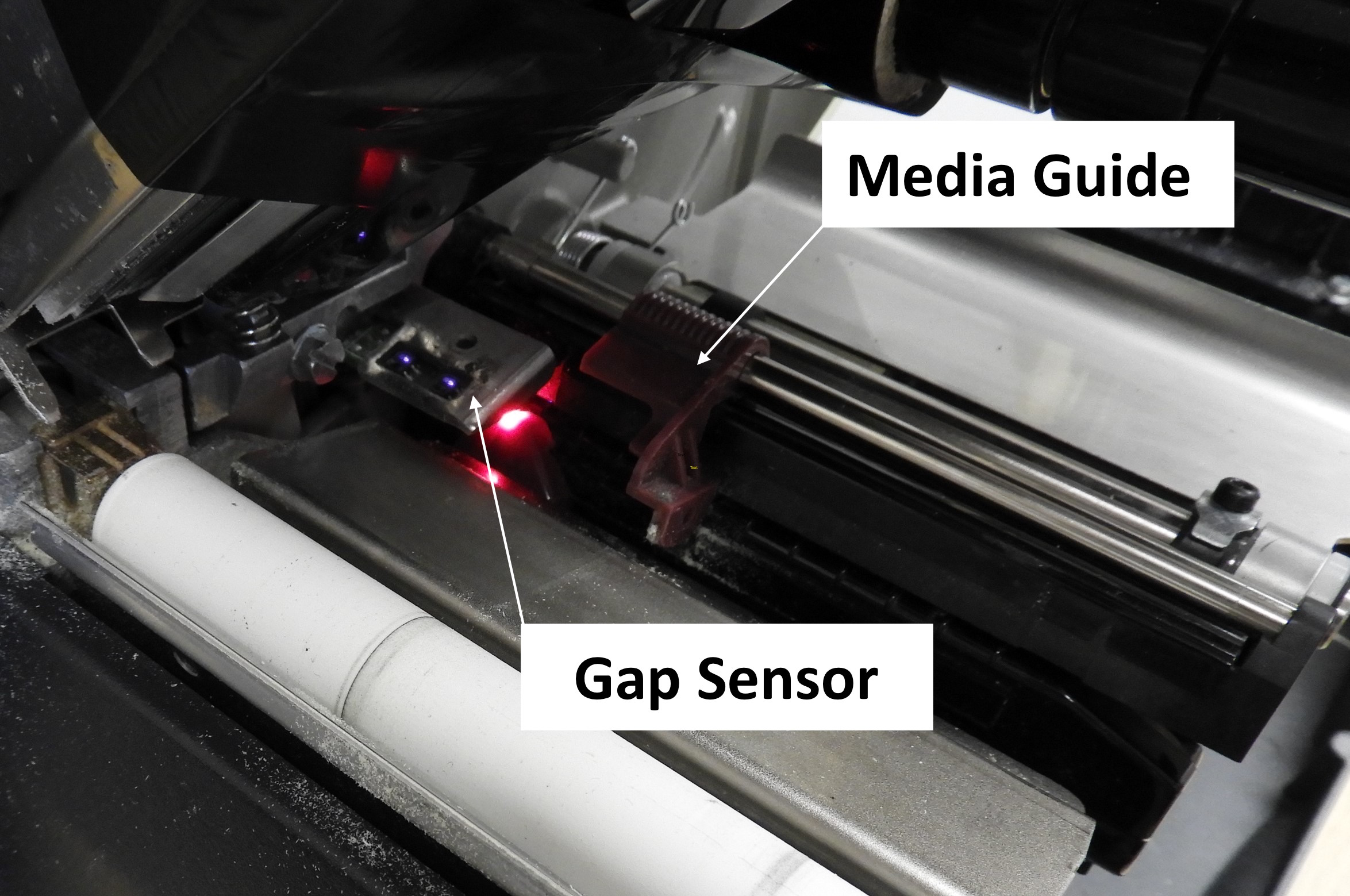
Media Gap Sensor

The gap sensor locates the gaps between the labels. It’s the red light in the picture to the left.

It can be slid across the width of the labels.

If the sensor is not positioned where it can ‘see’ gaps (i.e. if you’re printing two across labels and the sensor is positioned in the centre where it doesn’t see the label material pass overhead) then the printer will malfunction and continue to feed labels through the printer until it indicates an error.

Ensure the printhead is correctly positioned and keep it free of dust.

The label gap sensor on a desktop printer is more accessible than on its industrial printer counterpart.

Slide it left or right so it is positioned where it can ‘see’ the gaps between the labels or tags.

Desktop Printer sensor

How to Load your Thermal Printer

Loading a desktop printer

Desktop Printer

  1. Open the printer case.
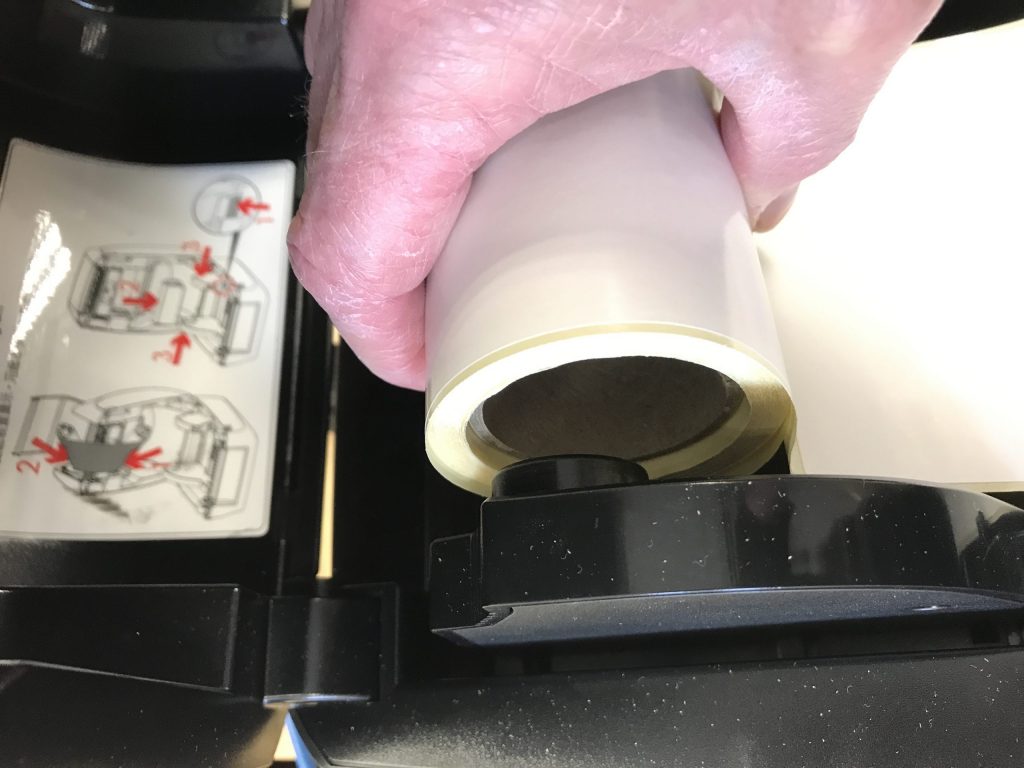
  2. Place the roll of labels or tags on the ‘media’ hold.
  3. Feed between the guides to the front of the printer.
  4. If you’re loading thermal ink ribbon, follow the printer instructions (there are too many different desktop models to describe here).
  5. Close the label printer case.

Industrial Printers

  1.  Open the printer case.
  2. Slide the roll of labels onto the ‘media hanger’ towards the rear of the printer.
  3. Feed the paper through the printer following the ‘media path’ i.e. under various rollers and under the printhead.
  4. Slide the ‘media guide’ (the yellow rectangle in the image to the right) across the width of the printer so it’s gently touching the outer edge of the labels or tags.
  5. Load the thermal ribbon onto its supply spool.
  6.  Feed the end of the thermal ribbon under the printhead and up onto the take up spool.
  7. Close the printhead and make sure it’s firmly in place.
Load labels into your printer

How to Clean your Printer

There are just a few things to keep clean with a thermal printer.  Keep the printhead clean (more details below) and keep the inside of the printer dust free using a soft cloth or vacuum cleaner.

Sensors (the gap sensor in the picture above) should also be kept clean and dust free.  Dust or adhesive build-up could lead to the sensor failing to recognise the gaps between labels. 

Blow dust out if you can.  If there’s adhesive on the sensor, use isopropanol alcohol to clean it off.

The Printhead

Clean the printhead

Industrial Label Printers

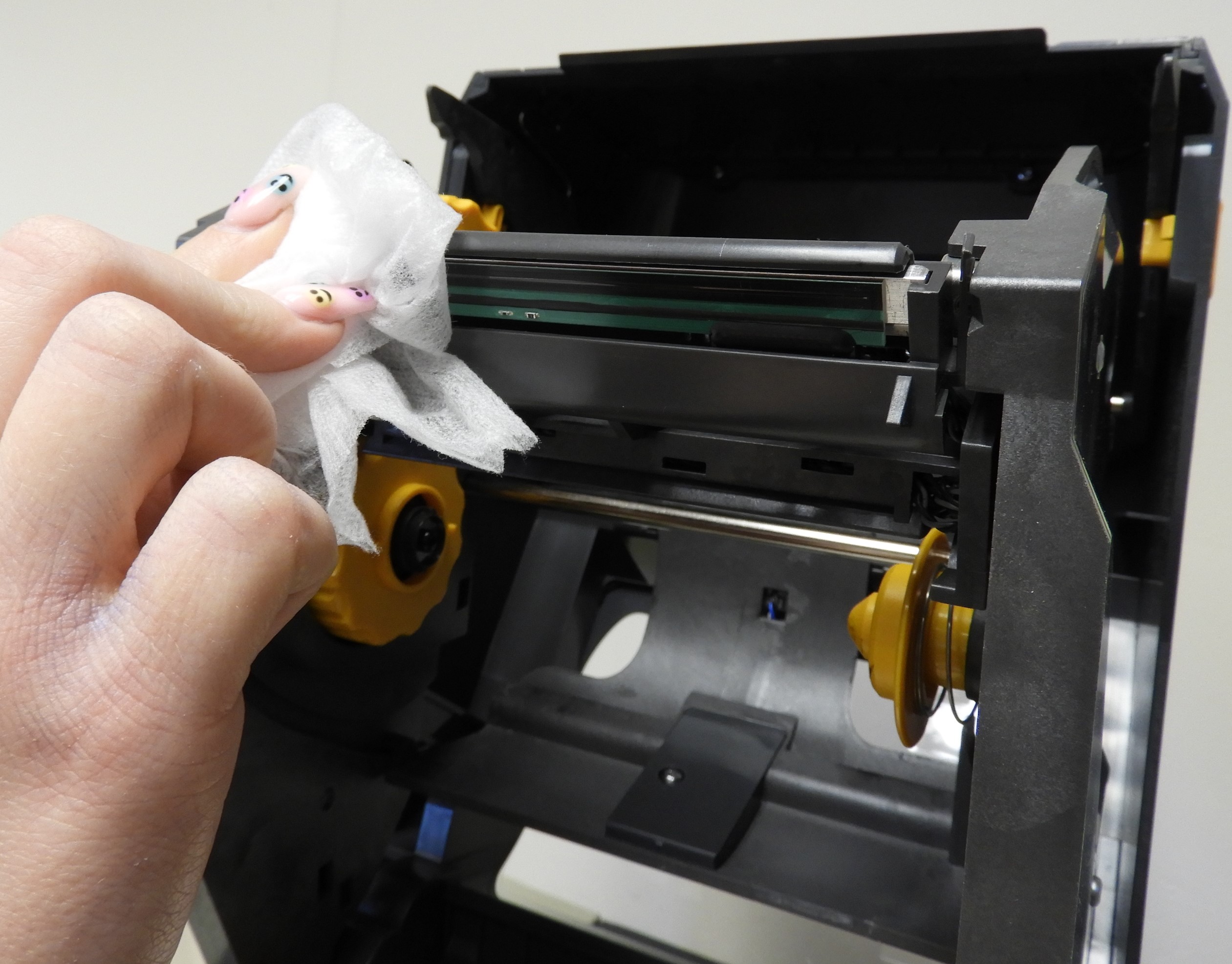
Keep the printhead clean by wiping with isopropanol alcohol.  Wipe it across the printhead a few times to remove the build-up of dirt.

Pre-saturated swabs are the most convenient.  Contact us for some free cleaning swabs.

Ideally, clean it every time you change the ink ribbon.

If you don’t use a ribbon then clean every time you change the label roll.

Cleaning a printhead on a desktop label printer

Desktop Label Printer.

The printhead on a desktop printer is a little more accessible than with industrial printers.

If you remove the thermal ink ribbon from the printer, you’ll be able to get to the printhead more easily.

As with the industrial label printers, clean the printhead with an IPA-soaked cloth. 

Darkness and Speed Settings

Two of the most important settings with any thermal printers are the darkness and speed settings. 

Whilst they can be set on most printers using the buttons on the printer, the easiest way to adjust them is via the printer driver. 

These print driver settings are from Windows 10.  They’re broadly the same as previous Windows versions. 

Darkness settings are different with MacOS drivers. 

Printer drivers differ in layout.  To download one of the best drivers for label printers – visit the Seagull Printer Driver page and download a free printer driver.

Finding your printer settings
Where to find your printer settings

The printing preferences option gives you access to all the printer settings you need – the most important ones being setting up the label dimensions. 

The other key setting is the speed and darkness settings.  These settings have the biggest effect on the print quality of your labels.

Click on the Options tab where you will find the speed and darkness settings.

Keeping the darkness as low as possible will extend the life of your printers printhead (and save you money).

Label printer printing preferences
Printing preferences
Darkness and speed options

Untick the Use Current Printer Settings and adjust the print speed.  The slower the print speed, the better the print quality.

To adjust the print darkness, Untick the Use Current Printer Settings and adjust the darkness.  If you’re printing faster, then you’ll need to raise the darkness setting.

Increase the darkness setting if you’re printing with resin or wax resin ribbons.  It’s not uncommon to find the darkness set to maximum if you’re printing onto plastic labels or tags with a resin ribbon.

Printhead Pressure Problems

Incorrect printhead pressure

Sometimes labels can appear faded on one side or another.  This is often because the printhead pressure needs adjusting.

Printhead pressure adjustment isn’t possible with desktop printers. 

On an industrial sized printer, you can adjust the printhead pressure using toggles.

The images to the right show two examples of pressure toggles on different industrial printers.

Use the rotating toggles to increase or decrease pressure across the printhead.

It is better to keep the printhead pressure low.

ZT220 Printhead Pressure adjusters
ZM400 Printhead pressure adjusters

Start Learning How to Use your Label Printer

This is the basics.  Every printer is different, but the fundamentals are the same.

If you are delivering the training – print out our PDF activity sheet for trainees to use.

Label Printer Activity Sheet for Students PDF.

Useful Links

Sustainable labelling

Corporate Environmental Responsibility (CER) and Labels

Biodegradable packaging – including biodegradable labels – are a positive marketing point – promoting your product and doing the planet and future generations a favour.

For some organisations – though – environmental protection and sustainability is more than a nice feeling – they represent a key corporate goal – in some cases it’s a condition of investment funds. 

Corporate Environmental Responsibility (CER) for labels requires proof (certification) that goals are being met.

In this article – you’ll learn how your labels meet corporate environmental responsibility standards and how you’re able to certify this.

Expert Labels

If you need any help or advice with your labelling – contact me.

Miles – Expert Labels

Take a look through our article and understand more.  Learn:

  • What is CER and what’s our aim with it?
  • What are certified biodegradable labels?
  • What CER certification exists?
  • What is the real impact on the environment with biodegradable labels?
  • What part recycling labels has in CER?
  • Biodegradable versus recyclable labels
  • What can we do about labels that don’t meet sustainability and biodegradability standards?
  • Contamination by inks, varnishes and adhesives.
  • Is the rest of the packaging biodegradable?
  • Certification of packaging and labels – EN13432 and FSC standards.
  • Practical considerations of using CER labels – lead times, minimum volumes and costs

What is Corporate Environmental Responsibility?

Corporate Environmental Responsibility (CER) is recognition by companies that they have a part to play in reducing harm to our planet and eco-system.  CER has the overall goal of reducing harm to the environment.

Sometimes this is done because responsible management genuinely care about our future, sometimes it’s to secure investment (which has a CER condition attached) and sometimes it’s to benefit from positive publicity or reverse negative public opinion.

Whatever the motive, how can you prove your CER credentials?

What are Certified Environmentally Friendly Labels?

In order to get credit for your label CER efforts, you need to get proof you are making an effort.  Proof comes in two forms – certified materials or 3rd party assessment of your packaging.

A handful of labelling products come with certificates to show they are compostable and many are FSC certified.  There are a number of environmental auditors who are prepared to assess your entire operation and give a rating of your sustainability efforts.

What are Biodegradable Labels and Packaging?

Biodegradable means that the labels and packaging will breakdown when exposed to the environment.  Just as importantly, they won’t leave behind any toxic residue when they do. 

Biodegradable labels can be certified as compostable, which means they’ve been tested under commercial composting conditions.  If they break down in commercial conditions they will breakdown in home composting conditions – but it may take a long time – if the conditions are not quite right.

Contamination by Inks, Varnishes and Adhesives

Ink and varnish on labels reduces the compostability of the label. 

Ink and varnish won’t affect compostability certification, as long as they don’t contribute more than 5% of the total weight of the label.  If it does weigh more than 5%, it won’t be able to be certified without further testing.

Biodegradable labels have adhesive that biodegrades and doesn’t leave toxic residue.

What Part Does Recycling Labels Have in CER?

The use of recycled materials in labels and the disposal of product with labels into the recycling system all play a part in Corporate Environmental Responsibility.

Labels, by their nature, are dependent on how the end user disposes your product or packaging. 

You need to make a decision about whether you trust (or have researched) your clients’ inclination to recycle your product packaging or will they simply discard your products (and therefore the packaging and labels).

If studies show labels are discarded irresponsibly (as I think it would be fair to say some fast-food packaging is) then in order to be true to your CER word, you’ll need to use biodegradable labels.

Biodegradable paper labels are the perfect solution – they are both recyclable and biodegradable.

Biodegradable plastic labels are a different matter.  Biodegradable plastics contaminate recycled materials and shouldn’t be recycled.

Sustainable Labels and CER

Sustainability is a big part of CER. There are a few sustainable label materials to help your CER efforts.

With paper labels, the paper used in manufacturing is (most of the time) FSC – Forestry Stewardship Council – certified paper. The FSC brand certifies that the material used comes from a sustainable and responsible forestry company. Sustainability includes wildlife habitats as well as replanting trees.

Cane fibre labels are a popular sustainable label material. The labels are made from sugar cane fibre material mixed with natural hemp and linen. The sugar cane material is a biproduct of the production of sugar so production of sugar cane paper has the added benefit of avoiding waste.

As an added benefit, cane fibre labels are made with biodegradable adhesive, making them fully biodegradable and meet composting standards.

Options for plastic labels include bio-plastic labels – although the labels contain an element of petro-based oil, the renewable content is much higher.

Rock paper is label material made from recycled plastic and marble dust.  It has a soft touch and is waterproof.  Rock paper can be recycled and is made without the use of water – which the manufacturers claim is more sustainable.

Soya-based inks are sustainable – but these inks are a specialist material and not widely available.  Contact us to discuss soya-ink labels.

Is the Rest of the Packaging Biodegradable?

Labels play a small part in CER and work hand in hand with product packaging.

Without a product’s packaging being ‘compatible’ with the label – the overall CER benefits are lost.

You won’t be able to recycle a label if it’s attached to the wrong packaging.  For example – plastic labels attached to a cardboard box.

Suitable partnerships include:

Paper labels on card or paper packaging

Plastic labels on plastic packaging

Compostable labels onto paper or card


Certification of Packaging and Labels - EN13432 and FSC Standards

Compostable logo
Look for the compostable logo

The two certifications around packaging and labels are the compostability standard EN13432 and the Forestry Stewardship Council (FSC).

FSC certification is a mark of ‘sustainability’ on forestry products, everything from cork, latex, timber to, of course, paper labels.

Biodegradable labels are made from materials that are tested under EN13432 and meet standards such as size of particles after six months and whether there are any toxins present.

We’re not aware of any certification surrounding non-biodegradable plastic labelling.

How We Can Help Your CER Efforts

  1. We can advise you on which labels are compostable and provide certification.
  2. If you need a Forestry Stewardship Council (FSC) chain of custody certificate to go with your paper labels we can help you get that.
  3. We can supply you with biodegradable labels.
  4. We can also make recommendations about recycling your labels and suggest suitable labels that can be recycled with your packaging.

What About Labels that Don't Meet Recycling and Biodegradability Standards?

In order to meet standards you must use products that meet EN13432, the compostablility standard or FSC certified paper.  Compostable labels are made from paper or biodegradable plastic material.

Some label materials aren’t biodegradable or made from paper.  In this situation, the next best solution is to make recycling as easy as possible – matching label and packaging materials. 

If recycling isn’t possible – for example metal products with waterproof labels – then the least harmful approach would be to use sustainable plastic labels – such as rock paper or bio plastics.

CER Labels in Practice - Lead Times, Minimum Volumes and Costs

FSC Labels

Sustainable paper labels from the Forestry Stewardship Council are widely available and easily sourced.  Leadtimes are typically ten days and prices are standard prices.  The other factor found with label materials is minimum volumes.  Because FSC sourced paper is so widely used, there are no difficulties with minimum volumes.

Biodegradable Labels

Biodegradable labels are still not produced in volume – and neither are the materials.  The result is that label manufacturers are reluctant to hold stocks of material – so if you’re buying biodegradable labels – (biodegradable paper or plastics) you’ll likely be paying for a new stock of material.  Lead times for special materials (as biodegradable is considered) are often longer than for standard products. 

Prices for biodegradable labels are significantly more expensive than standard materials.  For examples 1,000 paper labels would cost £15, for similar biodegradable paper labels expect to pay £110.


Useful Links

Labels for your products

What Do You Want Your Product Labels To Say?

Step 1: Request A FREE Quote

We Help You Choose the Right Labels For Your Products.

About

Expert labels are specialists in producing beautiful labels to make your products stand out from crowded shelves. From low cost paper labels to clear, waterproof labels – we help you sell more.

We have more than twenty years experience making sure your labels are delivered on time to do the job they’re supposed to do, every time.

Start by getting a free no obligation quote by clicking here.

Clear Bottle Labels

Products:

batch-no-labels

Batch & Serial No. Labels

Print your own, or let us print your batch and serial numbers for you.  Choose numbers, 1D or 2D (QR Codes) Barcodes.

secure cut labels

Tamper and Security Labels

Specially cut tamper-proof security labels or high security holograms to protect your products.

clear labelsWaterproof Labels

Choose from a wide range of materials – printed onto clear or full colour labels .


Let’s talk technical

We supply labels on rolls, either pre-printed or for overprinting with thermal label printers. We make labels to a huge range of specifications – from waterproof, gold or silver foil, clear labels, perforated labels, large rolls and small rolls.  We have over 6,000 label dies to cut your labels to the exact size you need. Our labels are made from paper, HDPE, PE, Polyester, Vinyl, PP, Tyvek or any number of specialist materials.  We can fully customise your labels with sequential numbering, printing from a database or unique full colour labels.

Expert Labels

  • Have been supplying labels, tags, tickets, barcode scanners and printers since 1994
  • Use specialist digital printing equipment for full colour label printing
  • Are trusted by many of Europe’s best known companies to delivery on time and to exacting standards of quality
  • Stand by our products with a money back guarantee

We work with organisations who need high quality labels delivered on time and also value a supplier who provides end-to-end printing and scanning expertise.

Some of Our Clients

Some of the hundreds of clients who trust us for their labels, printers and scanners.

logos

Label Jargon

In the world of labelling and printing, there are lots of phrases we use on a regular basis that may not be familiar to you, our visitor.  Here’s your guide to the labelling jargon you’re likely to hear.

Even clients of ours who are well-versed in the lingo sometimes surprise us by wanting to know exactly what we mean by particular terms we might simply take for granted.

So we thought it’s about time someone came up with a handy “jargon buster” to explain what it is we actually mean by some of the labelling jargon you’ll find in our industry.

Proof A common term that means a prototype version of a label (usually just an electronic image file) that is developed in order to be checked by the customer for accuracy. Once the proof version is approved, the label is ready for production.  The last thing you or I want is a spelling mistake on 100,000 labels and proofs are our way to prevent it.
Face Stock

Label Facestock and Backing paper
A layer of paper, film or other material that makes up the “front facing” part of the label. It will usually have a layer of adhesive or glue on the backing, with the viewable words and imagery printed onto the Face Stock.
Plates Usually made of plastic – though sometimes made of other materials such as rubber or metal – plates are used to transfer the ink to the label being printed.
Applicator
Handheld label applicator

Automatic Label Applicator
A machine that applies pressure sensitive labels onto an item that is being labelled. (Pressure sensitive labels being the type that stick to the item when you press them onto the item).  Often this is a machine that automatically applies the labels – sometimes it refers to a handheld device that is used for labelling.
Kraft Backing Krafting is the process of converting wood into wood pulp. This material can then be made into kraft paper, which is stronger and more durable than ordinary paper. It can be used for Kraft backing paper – often used in the process of picture framing.  Not often used with label printers as Kraft paper is thick and doesn’t work well with the sensors that printers use to sense the cap between labels.
Removable Adhesive A type of adhesive (“glue”) that allows the label to be removed from the item without leaving much residue behind.  This is important for labelling high gloss items such as glass or giftware. For example, the type of adhesive used on sticky writing (post it) notes would be a removal adhesive.
Peelable Adhesive This is essentially another term for “removable adhesive”. It refers to the type of adhesive (“glue”) that allows you to peel off a label from its backing as well as allowing the label to be peeled from the item it is eventually stuck on to.
Permanent Adhesive An adhesive (“glue”) that binds much more strongly to the item it comes into contact with. Permanent adhesive is very difficult to remove from the item without the use of considerable force.  Permanent Adhesive is the most common glue found on labels.
High Tack Tackiness refers to the “stickiness” of the adhesive used on the label. A label with high tack will have a stronger adhesive and thus a high degree of “stick”.
DPI

DPI comparison
DPI comparison
Standing for Dots Per Inch, this is a well-known measure of the level of resolution for printing this isn’t specifically labelling jargon, you’ll find it in printers and software. DPI literally relating to the number of “dots of ink” that can fit along a printed line that is an inch long. (The equivalent for a computer screen would be Pixels Per Inch (PPI) – though many people use DPI to mean the same thing).  Thermal label printers tend to print at 203 dpi – or 8 dots per millimeter.
Label Gap When you have a group of labels attached to a backing sheet (for example a roll of labels), the label gap is the distance between two labels.  This is usually around 3mm if labels are used with thermal printers.
Black Mark

Black marks on clear labels
A Black Mark may be printed on the back of the label liner to guide certain types of printer as to where to print the label content. Black marks are essential where a label printer is printing to a clear label.  Label printers use a sensor that beams a light through the relatively transparent backing paper and recognises when there is an opaque label.  With a transparent label the printer needs another way to recognise the label gap.
Across the Web

Labels across the web
This refers to the number of labels across the backing sheet.  If you’re using a wide printer you can print more labels at the same time and increase productivity.
Cores

Label cores
Label cores
Tubes which the label sheets are wound around for shipping purposes. Usually made of card or plastic.  They come in a range of diameters, 25mm, 44mm or 76mm, along with a range of widths.
Tamper Evident

Tamper evident labels
These are labels that display evidence of any lifting or removal from the item they are attached to. They may be used for the purpose of eg preventing price labels being switched onto a different item, or for sealing boxes, computers – even doors shut – with any attempt to open the door displaying evidence of tampering on the label.  See the security labels we supply here: http://expertlabels.co.uk/applications/security-labels/
Ultra Destruct

Ultra Destruct labels
Ultra Destruct labels – don’t peel but crack when you try to remove them
A type of tamper evident label that breaks up like an egg shell if tampered with – thus acting as an obvious deterrent to removal as it will be obviously there has been an attempt to remove the label.  This type of label is demanded by the Falsified Medicines Directive.
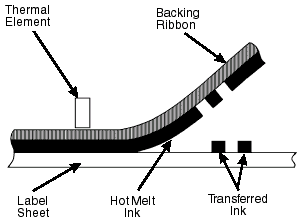
Direct Thermal This is talking about a type of label or tag printer.  A Direct Thermal Label Printer has a print head comprising of thousands of tiny pixels.  The pixels on the printhead can be independently heated.  Now if you pass a heat sensitive paper or tag material underneath a hot object it will turn black.  So if you take a heat sensitive paper and a printhead that can turn on thousands of different little dots, you have a way of printing!  This is direct thermal – as opposed to Thermal Transfer printing.  Shortcoming of direct thermal printing – is that it only works with specially coated paper or card.  The labels or tags printed will turn black if subjected to heat from the sun or elsewhere.
Thermal Transfer Printing
How thermal transfer works
How Thermal Transfer works

If you take a direct thermal printer and place a sheet of ink that melts between the print head and the label or tag you are able to melt the ink onto the label.   Thermal Transfer paper have a roll of ink that melts onto the paper using a thermal printhead.

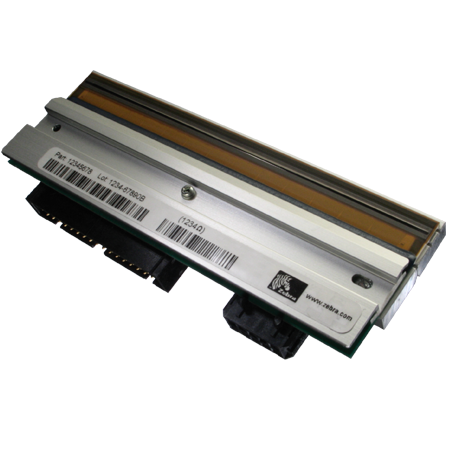
Printhead
Thermal printhead
Thermal printhead

This is the part of a thermal printer that heats up and melts ink onto the label or tag.  Can also heat paper coated with a heat sensitive ink that turns black when heated.

Useful links

When it comes to barcode specific jargon, GS1, the international barcoding organisation, has a handy glossary explaining much of the barcoding, not necessarily labelling jargon:

GS1 Barcode glossary: http://xchange.gs1.org/sites/glossary/en-gb

How to decide a label budget

What Your labels are Made of Affects Your Label Budget

Peelable Paper Labels
Paper is used for product labels

At the bottom of the price range are good old paper labels.  You’ll find paper labels on bottles and consumer products.  Paper labels are perfect for cardboard boxes, pallet labels and warehouse labels and on documents.   Businesses of all sizes use paper labels, particularly so in retail, healthcare and logistics.  Matte or gloss labels will cost around the same. 

Thermal paper turns black when it’s printed with a thermal printer.  Thermal labels are perfect for shipping labels and fresh food.  You’ll find a lot of businesses use these in their dispatch area – particularly in transport and logistics.  Thermal paper makes printing labels easy because there’s no ink used.  Expect to pay a little more for thermal paper, versus plain paper labels.

Next are standard plastic labels.  Plastic labels are used on assets – where labels are expected to last a couple of years on products.  Plastic labels are waterproof so you’ll find them in garden centres and horticulture.  Cosmetics and food and drink also use plastics as they are resistant to oils.  Chemical labels are made of plastics as are many laboratory labels.  Expect to pay 50% more than paper labels.

Clear labels – made from plastic (PE and PP) are marginally more expensive than their white counterparts.  Clear labels are found in a lot of food and drink packaging and extensively in cosmetics, as they allow the product to be seen – and they offer a more attractive appearance. Expect to pay 60% more than paper.

PET plastic labels are more durable and more expensive than standard plastic labels.  If you need labels that are scratch-proof or for higher temperature ranges you need PET labels. 

These labels appear in specialist areas such as high temperature applications – and on assets where durability is important.  Expect to see PET labels in product labelling and healthcare.

PET labels will cost 75% more than paper.

Biodegradable Labels come in paper, biodegradable plastic and clear biodegradable plastic forms.

Biodegradable label material is a small % of global production.  Because volumes are comparatively small, prices are high.  Prices will come down as biodegradable labels become more common, but never as low as standard paper or plastic labels.

Biodegradable labels are used by organisations who have made a commitment to protect the environment – where the environment is a key brand value.  Cosmetics and high quality foods often champion the environment.

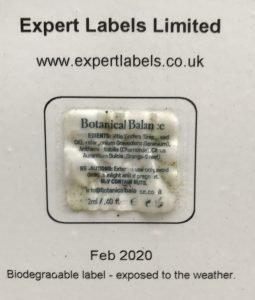
Biodegradable label
Biodegradable labels

Expect to pay five times as much for biodegradable paper labels compared to standard paper.

Biodegradable plastic labels (clear and opaque) will cost around ten times the price of paper.  Plastics cost more than paper and biodegradable plastics cost more still.

Sustainable labels – labels that are both recyclable and don’t use water or harmful chemicals in production (e.g. Rock Paper Labels).  They aren’t necessarily biodegradable.  Sustainable labels cost around ten times what standard paper costs.  

Global volume of Rock paper is tiny compared to other materials hence a high cost.

Get Quote

High temperature labels will cope with temperatures up to about 350C and cost 20 x more than paper materials.  Used in specialist industries – like electronic PCBs, automotive components or aerospace.

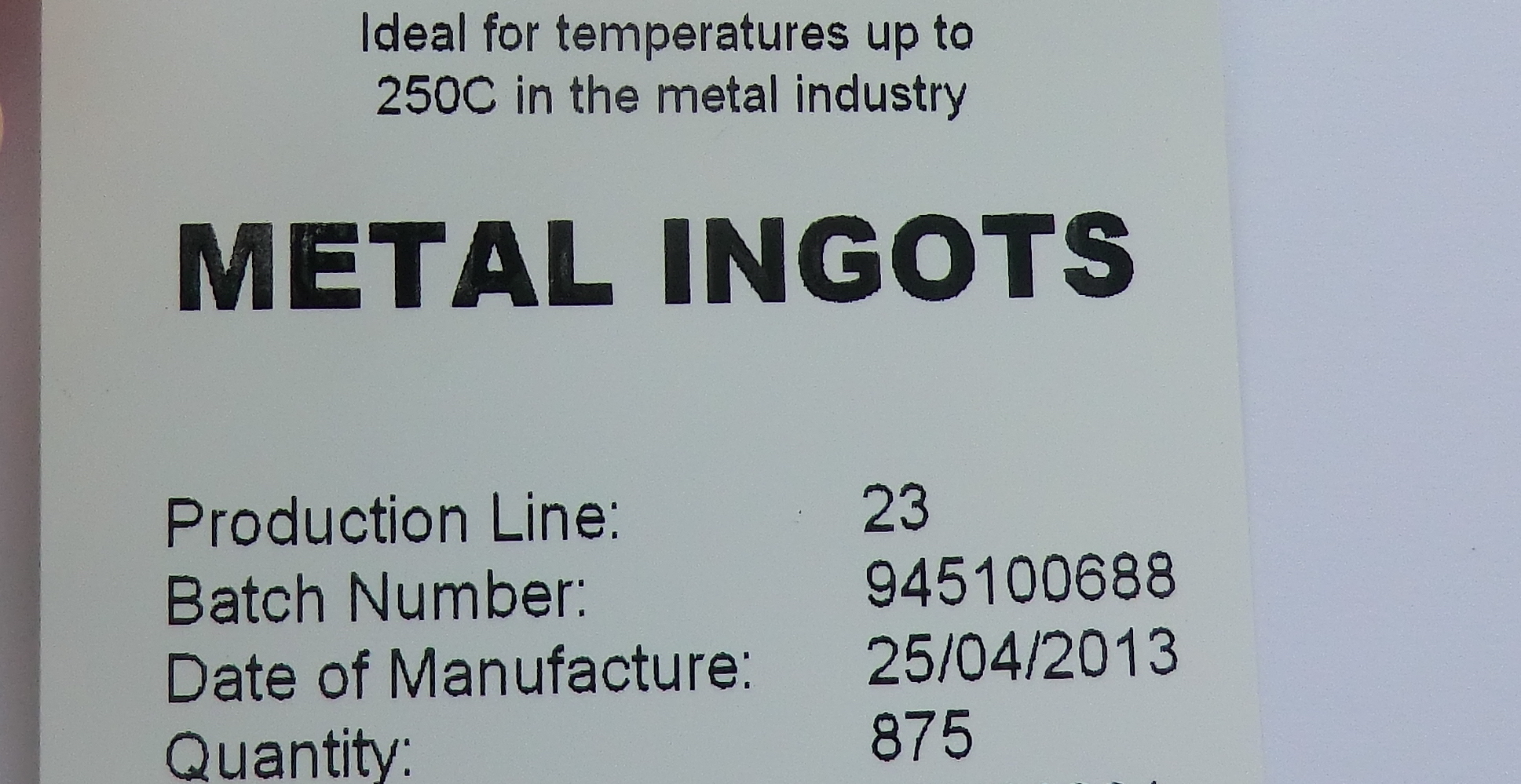
Ultra-high temperature labels will cope with temperature up to 1200C and will cost an impressive 1,000 x more than the equivalent in paper.

Ultra-high temperature labels appear in scientific testing, metal manufacturing and glass manufacturing.

Heat resistant labels
Ultra-high temperature labels

Label Prices Are About the Number of Labels Printed

Flexo Label Press
Label Printing Presses are Expensive

Little bit of background: Printing labels consists of loading the printing press with a roll of material.  Fitting a die (a die is a metal shape with sharp edges that cuts out the shape of the label from the label material) in order to cut the labels. 

Then, if there are colours to print, there is the printing plate to fit, then select the ink and set it up.  Then… 

You get the idea – there’s a fair amount of time before the first label can be printed. 

As you can see above, label printing presses have rollers and loops so to feed the material through the press could take anything from 3 meters to 50 meters of material – before you’ve cut out the first label.

Before the first label is printed – there’s time and waste material. Then there’s time cleaning ink off the press afterwards.

Label presses run at several meters a second.  Several thousand labels might be printed in a few seconds, yet setting up the printer took 20 minutes. 

With sophisticated printing presses costing hundreds of thousands of pounds – every minute the press is used for needs to be charged out. 

What I’m getting at is: the cost per label drops massively in the first few thousand labels you print, because so much of the total cost is set-up cost.

How Bespoke and Standard Shapes and Sizes Affect Your Label Budget

Huge Cutter library
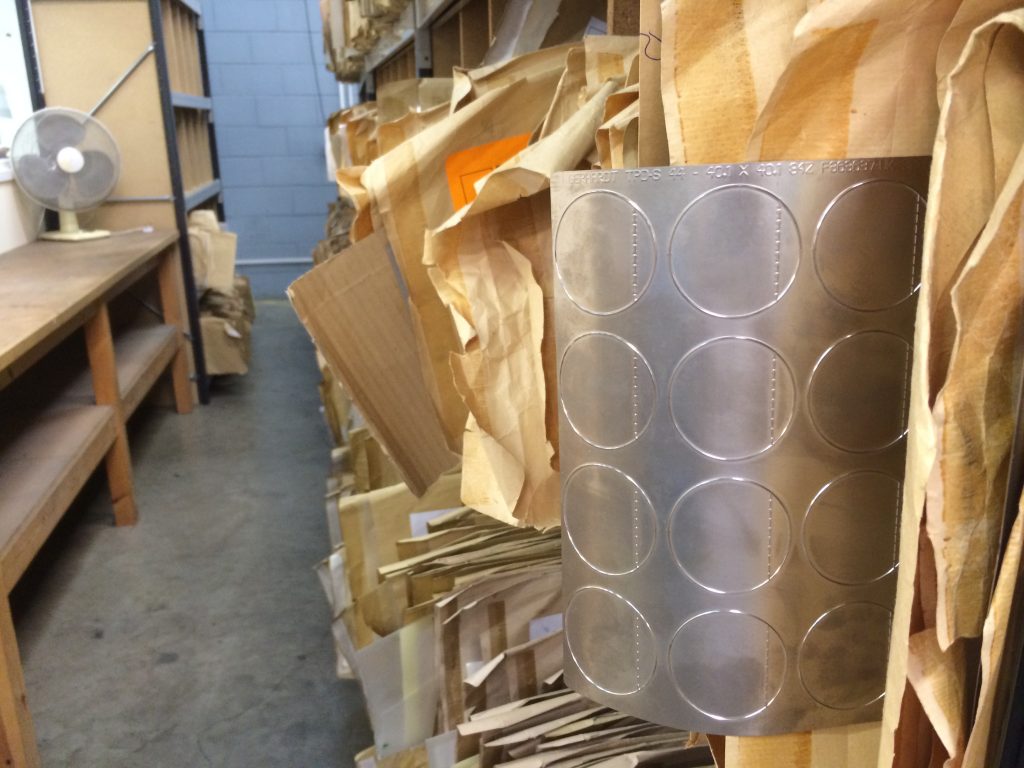
This is a label cutter

As I mentioned earlier – dies – or label cutters (also known as ‘tooling’) – are the pieces of metal that cut out the shape of the label or tag from the huge rolls of label material. 

We have thousands of label dies in our die library.  However, what happens when we don’t have the exact size you need?  We have to have the die made.

Label dies are precision-made by engineers in an off-site factory using large industrial tooling machines.  They are (usually) made from relatively thin sheets of magnetic metal.  Whilst they get made quite quickly – it still takes a few days to get turned around.

If we don’t have a cutter that suits your label project – either because you need an unusual size or a very precise size – expect to pay £100 – £250 (depending on how many cutting faces you need).  The smaller the label, the larger the cost of making the die.  If you need perforations between labels – this will bring the cost of the cutter up significantly.

If you need plastic labels, the cost of the label cutter goes up two-fold because the cutter needs to be more durable.

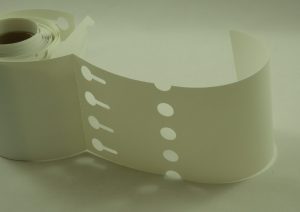
White Plastic Loop Lock Labels
Heavy Duty Plastic Loop Lock Labels

If you need tags cut from heavy duty plastic, such as the horticultural tags in the picture above, and we don’t have a size that suits your tag project, expect to pay more than £1,000 for the die cutter.  Cutters for heavy-duty plastic need to be made from solid pieces of metal (so they can be sharpened) not the standard metal sheets you use for paper or thin plastic labels.

Label cutters are a one-off cost, an added cost item in your first label order. 

If you decide to get your labels printed elsewhere you will need to buy a new set of  label cutters, as they are custom made to suit the label printing press they are fitted to.

How Colours Affect Label Costs

Colour labels

Colours make a big difference to your labels.  If your labels sell your product – you need all the help you can get – and that starts with using colours.

If we are printing your colour labels using a traditional ‘flexo’ printing press, each colour on your label costs money to print. 

That’s because inks need to be carefully mixed so they are an exact colour match.  The printing press needs to be set up in order to align the colours and the press adjusted so it prints perfectly.

Then, after the labels are printed, all the machinery needs to be cleaned so future print jobs aren’t contaminated.  Cleaning needs to be factored into the cost of the print job.

Not only do you need to cover the costs of printing the colours,  there is a one-off £40 ‘plate’ charge.   Plates are flexible rubber (or plastic) sheets that print an image of each colour onto the label.

Digital Label Printing.

Over the past ten years, digital printing presses (imagine a massive laser or inkjet printer) have become more common. 

Digital printing press used for peel and reveal labels
Digital printing press

Digital printing presses eliminate the need for printing plates.  There’s no need to clean the ink off the press after each print run and set up is faster and easier. 

A big part of the cost of labels is ‘recovering’ the cost of the printing press – every minutes spent printing (or setting up) needs to be charged for. 

Digital presses are generally slower than traditional printing presses.  Because they are slower, there does come a number of labels where traditional presses are more efficient.

Digital printing means short runs of several thousand labels in multiple colours are much more cost effective.

Special Labels - Peel & Reveal and Booklet Labels Costs

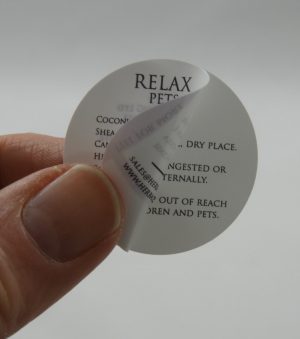
Peel and Reveal label - round
Peel & Reveal labels

Regulations call for more and more text to appear on labels.  Sometimes you might want to simplify international product distribution by including multiple languages on one label. 

With small spaces – the solution is to use multi-layer labels – Peel and Reveal and Booklet labels – where your message can be printed over several pages on one label.

Multi-layer labels are used a lot in food and drink, cosmetics and pharmaceuticals businesses.

Peel & Reveal labels are quite an engineering feat.  Multiple layers of material printed on both sides with a hinge and special adhesive.

All that engineering and complexity means the machinery to make them is expensive, not to mention Peel & Reveal labels have to be tear-proof – so need to be made from plastic. 

What appears to be a simple concept is relatively expensive compared to plain paper labels.

Booklet and fold-out labels cost more than Peel & Reveal, even though they are made from paper.  The machinery to make Booklet and Fold-Out labels is significantly more complicated than Peel & Reveal machinery.

Example price for 1,000 30mm circular two-leaf Peel & Reveal labels printed – £670.  For 5,000 you’ll pay £690. Just £20 more. 

For a 45mm x 55mm 8-page Booklet Label with two colours – just 1,000 costs £2,605, with 5,000 costing £2,842

Get Quote

Label Finishes - Soft-Touch Varnishes, Gold Foiling and more

Embossed labels

Whilst adding ’embellishments’ to your labels adds cost – the perceived quality jumps – more than off-setting the cost of the enhancements.

Foiling, special rough-touch or soft-touch effects, different textures and spot varnishes are seen on high quality food and drink products, cosmetics and high quality packaging. 

Vaping juices and other potentially toxic products are printed with a raised warning triangle on the label.  These are all uses of ‘Embellishments’ on product labelling.

When your customers compare your product to a competitor’s product, the packaging is often the only difference – and if your packaging looks and feels quality – your price can more than cover the labelling costs.

  • Soft touch
  • Embossing
  • Debossing
  • Matte or gloss lamination
  • Textured
  • Spot varnished
  • Foiling

Ask us about making your labels stand out from the crowd.


Some Example Label Costs

These are example costs and just give a good idea of the sort of price you’d pay for labels. 

Please note, these prices are only a guide.  As you have read, there are many different variables included in pricing labels.

Click the Get Quote button below to request an up-to-date and accurate price.

Please allow for VAT and delivery (approx £15) in your budget.

Get Quote
DimensionsMaterialDetailsQuantity & price 1Quantity & price 2
38mm x 25mmStandard matte paperBlank white1,000 - £1540,000 - £160
45mm x 25mmGloss or matte plastic Blank white10,000 - £12030,000 - £155
50mm x 25mm Clear PlasticPrinted with black4,000 - £2088,000 - £238
50mm x 25mmPET plastic labelsGloss white, blank8,000 - £8516,000 - £117
50mm x 13mmHigh TemperatureBlank - suitable for up to 350C20,000 - £1,34840,000 - £2,115
50mm x 30mmHigh TemperatureBlank - suitable for up to 350C1,000 - £1,038
50mm x 20mmBiodegradable paperWhite, Blank1,000 - £1105,000 - £155
65mm x 65mm Cane Fibre Biodegradable White, blank sustainable labels1,000 - £2135,000 - £277
46mm x 46mmClear biodegradable1 colour2,000 - £200
50mm x 50mmPaper4 page Booklet label full colour1,000 - £1,6002,500 - £1,672
50mm x 65mmPaper8 page Booklet label10,000 - £2,65020,000 - £3,024
54mm CirclePlastic 5 page Peel & Reveal labels. Colour first page, black text on other pages.1,000 - £5925,000 - £900
32mm CirclePlastic3 page Peel & Reveal labels. Colour first page, black text on other page.4,000 - £429
25mm x 25mmRock Paper4 colours. 8 designs - digitally printed.4,000 - £568
50mm x 30mm Ultra-high temperature ceramic labelsBlank - print with thermal transfer printer. Suitable for temperatures up to 1250C. 15,000 - £5,900
100mm x 15mmUltra-high temperature ceramic labelsBlank - print with thermal transfer printer. Suitable for temperatures up to 1250C. 44,000 - £9,600
250mm x 25mmHeavy duty plasticBlank White Loop lock labels2,000 - £8010,000 - £370
50mm x 72mmHeavy duty plasticBlank white Non-adhesive Tags 3,000 - £3156,000 - £350
50mm x 50mmPaper2 colour labels1,000 - £1255,000 - £180
38mm x 38mmPaperfull colour labels1,000 - £105
25mm x 6mmPlasticBlank white Cryogenic labels1,000 - £1902,000 - £220
45mm x 30mmPaperBlank white block out labels3,000 - £1306,000 - £145
50mm x 30mmPlasticMark & Seal electrical safety labels 1 colour printed1,000 - £140
50mm x 35mmPlastic1 colour printed overlaminated labels1,000 - £235
101mm x 152mmPaperDirect thermal shipping labels5,000 - £11520,000 - £250

Updated: 1 Apr 2021