All posts by Miles

Inline Verifier

How to assess your labels for quality

Substandard labels cost you money, reputation and a great deal of inconvenience.   To avoid this, you need a process in place to assess your labels for quality.  This is critical in pharmaceuticals and other high compliance industries.  If you supply the major retailers you will be fined if your labels are not compliant.

  • Barcode and label standards to follow
  • How to assess your label quality
  • Checking what’s printed on your labels
  • Pros and cons of using a basic barcode scanner to assess label barcodes
  • Why you would use a barcode verifier to assess labels
  • The best way to assess label print quality
  • Summary

Read on…

Barcode and Label Standards

For many industries, labels are a critical element in compliance.   

Compliance comes in two forms – the label components (size, material, compliance icons, colours, barcodes and required text) and machine readability (ability to scan barcodes).

Industry label standards.  Different industries will require different label layouts and will specify icons and certain barcodes, containing certain data.  Standards are set by organisations like ODETTE for the automotive sector, FDA regulations for healthcare or EU directives.  The scope of different industry label standards is too wide to cover in this article.  It is your responsibility to research what your industry label standards are.  

Barcode standards.  Barcode standards (for example size and shape, bar width, colours or colour contrast) are set by an international organisation called GS1. 

GS1 is a not-for-profit organisation that issues barcode numbers and coordinates the way barcodes are developed and used in commerce.  It’s an international body that has national offices to provide local help and service.

There are generally two different barcodes used for items at a retail point of sale – GTIN8 and GTIN13.  Both these barcodes have clearly defined standards in terms of size, height and width proportions, white space, colours and contrast and bar widths.

For what are known as traded items, i.e. a box of 12 cereal boxes or a pallet of dishwasher powder, the choice of barcodes extends to ITF14, GS1-128 or GTIN8 and 13. 

For further details on what barcode to use where, when and how – use this great resource from GS1 – Getting it right – guide to barcoding.  It’s a 58 page pdf and helps with all aspects of barcode printing onto packaging.

Once you have taken advice from your industry body, you can finalise the layout and design and check they are compliant.

What needs to be in place is a ‘sign off’ to certify the label has been designed correctly. 

In the case of pharamaceutical labels or other high compliance labels, label design software like the Enterprise Edition of BarTender can be configured to prevent labels being printed unless they have been approved by an authorised person.

Once the layout is approved it’s a matter of ensuring labels are printed correctly and consistently to that standard.

How to Assess Your Label Quality

Production faults with labels show themselves with:

Faulty Labels
Faulty Peel & Reveal Labels
  • Print not staying on the label or fading and becoming unreadable,
  • Adhesives not working – and labels falling off items,
  • Adhesives working too well – and labels not peeling off,
  • Labels you can’t print onto
  • Specific failures such as Peel & Reveal labels failing to ‘reveal’ or failing to shut.
  • Varnishes that are patchy

Faults are usually obvious once the labels are used.  If your labels are critical then it is important to test the labels before use. QA will need to assess each consignment.  Label faults are very rare.  Out of thousands of orders a year we get no more than a couple of faults.

Sometimes label faults might be an inconvenience rather than a failure.  Try to include label performance in your process evaluations. 

If labels are making your processes less than optimal, contact us for help making your labels perform better.

Checking What’s Printed on Your Labels

Variable Label Data

If a label has been designed correctly, the chance of incorrect data being printed on your label or encoded in the RFID chip or barcode is almost nil. 

After a label design, layout and data-content is approved the only other point of failure is the origin of the data. 

If faulty data is added to your organisation’s database, then faulty data will be printed.  Examples of this might be an uncapitalised name on a shipping label.  Another example might the wrong post code.

Another thing to look out for are changes upstream in the database.  A change to a field in a database might show up as incorrect data printed on a label.

Assessing machine readable labels

Machine readable labels, such as barcoded labels or labels with RFID chips embedded in them, need to be assessed first on what data they contain and then secondly – on how well the label meets the barcode or RFID chip’s technical specifications.

1. Scan barcodes with a barcode reader.

This is the simplest, cheapest and least reliable way to check barcodes on your labels.  Contact us for a simple barcode scanner (costs around £100) . 

Here’s the approach – it’s really simple – have a routine where you scan codes at the beginning, end of your print run and as many times inbetween as you can.  If you can’t read your barcode then investigate the problem and re-print if needed. 

This will pick up faults like a printhead failure but it won’t notice much else. 

The scope of the barcode quality report is Read or Not Read. Not particularly enlightening.

By scanning a sample of codes it won’t notice irregular problems such as where ribbons have wrinkled on a few labels in a large batch of labels.

Barcode scanners vary in quality and performance – so your scanner might read a code, your customer’s might not.  Remember also, your barcodes might be scanned by multiple scanners throughout the supply chain.

Certainly using a phone is not reccomended.  Cameras can read badly damaged barcodes much better than barcode scanners. 

It’s not perfect but it’s a low cost way to check your labels.

This is not a solution in a regulated industry such as pharmaceuticals or healthcare products, where labels need to be perfect. 

2. Using a Barcode Verifier to assess your labels
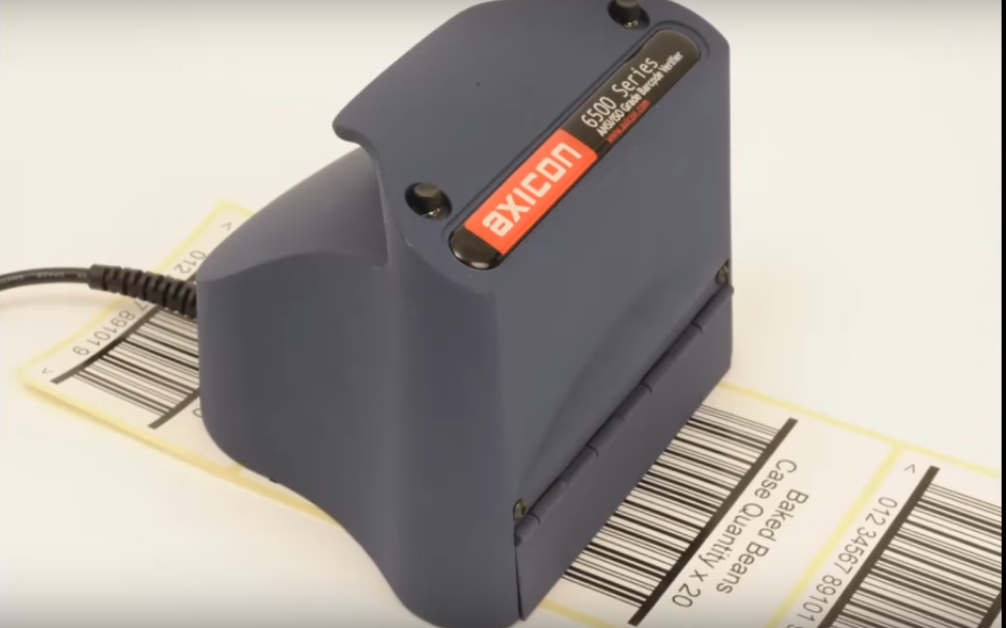
Axicon 6500 Barcode Verifier
Barcode Verifier

Our previous suggestion was to scan with any old barcode reader and see if it can read.  A much more reliable (and one you could argue in court with) is to use an instrument called a barcode verifier.

A Barcode Verifier is a precision instrument that scans and analyses the barcode, taking into account print quality and barcode layout and composition. 

A barcode verifier is built to assess against the ISO barcode standards – ISO15416 for linear barcodes and ISO15415 for 2D symbols.

By scanning your barcode you will see if the barcode meets standards and importantly, if it doesn’t, you’ll know what needs to be fixed. 

Perhaps more importantly though, you have a record of compliance that you can use in the event of a dispute.

3. Vision Based Inline-Verification for Printed Label Inspection

Inline Verifier
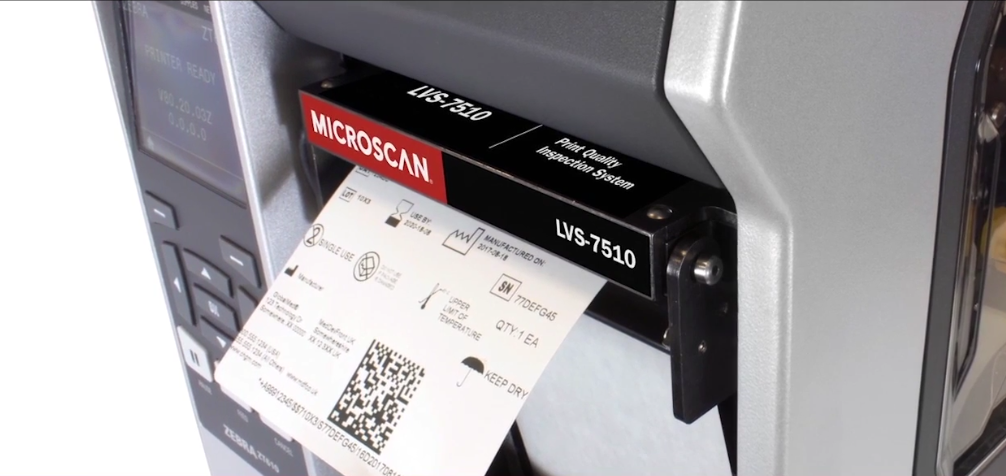
Inline Verifier fitted to a Zebra Label Printer

The best way to check the quality of barcodes and labels in general is to use a camera-based inline barcode verifier.  In-line Verifier means that the camera is fitted onto the label printer and checks the print content and quality of every label printed. This label inspection system is (in our opinion) the best way to ensure the quality of labels.

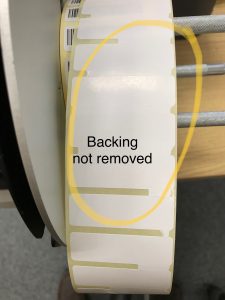
An inline verifier is the only way a printing fault like this one (below) would be noticed, unless you employ someone to watch every label printed.

Faulty Printed Labels

Vision based label validation – takes an image of every label passing out of the front of the printer.  It compares the image to what is meant to be printed and stops the printer if it encounters a problem.

  • Vision label quality assurance systems check the readability of 1D and 2D barcodes, along with checking they meet GS1 and ISO standards.
  • You can set up thresholds for blemishes – so only significant marks stop the printer. 
  • Identify incorrect text, i.e. if the wrong data is included in the label.
  • Doesn’t slow down the printing process. The printers perform at their usual speed.
  • Uses Optical Character Recognition (OCR) to read the text of the label.
  • Works with the popular printer manufacturers such as Sato, Printronix, Zebra and Honeywell, though it is only compatible with the high-performance printers in the respective ranges.
  • Keeps an audit trail of results.

Sophisticated in-line verifiers can even take data from a spreadsheet or database and ensure labels include data from the database. 

Label Inspection System

Set up is reasonably simple: print a label and have it pass through the verifier.

Using the configuration setting – select areas of the label that will change and tell the software what should appear there.  Set up areas of the label that need to be ignored.

Let it print.

The printer can be fitted with a light tower that shows a red light if the system encounters an error and needs to stop.

A complete vision based label verification systems cost between £20,000 and £25,000 depending on the thermal printer and any additional training or system validations.

Summary

  • Contact your industry body and find out what the labelling standards are.
  • Talk to us about getting your labels designed to meet your industry standard.  That might mean using label design software (if you’re going to print labels yourself) or engaging a graphic designer.
  • Sign off your final label design.
  • Check your labels for quality (such as stickiness or colour) before you need to use them.  Ideally when you receive them.
  • Have a system in place for reporting faulty labels.
  • If you’re printing your own labels, check the labels (including barcodes) contain the correct information – and that the barcodes/RFID chips read correctly at the start and end of each print run.
  • If the consequences of faulty labels are serious, invest in a barcode verifier to assess barcode quality.
  • If the process of assessing labels is too time consuming and costly, invest in a camera based label quality assessment tool that will check every label printed.

Contact the experts for labelling advice.

Useful Links

GS1UK.org – the UK branch of the international barcode standards organisation, GS1.

‘Getting it Right – Guide to Barcoding’ pdf from GS1.

Updated 7 Mar 2021.
Service Options for Your Label Printer

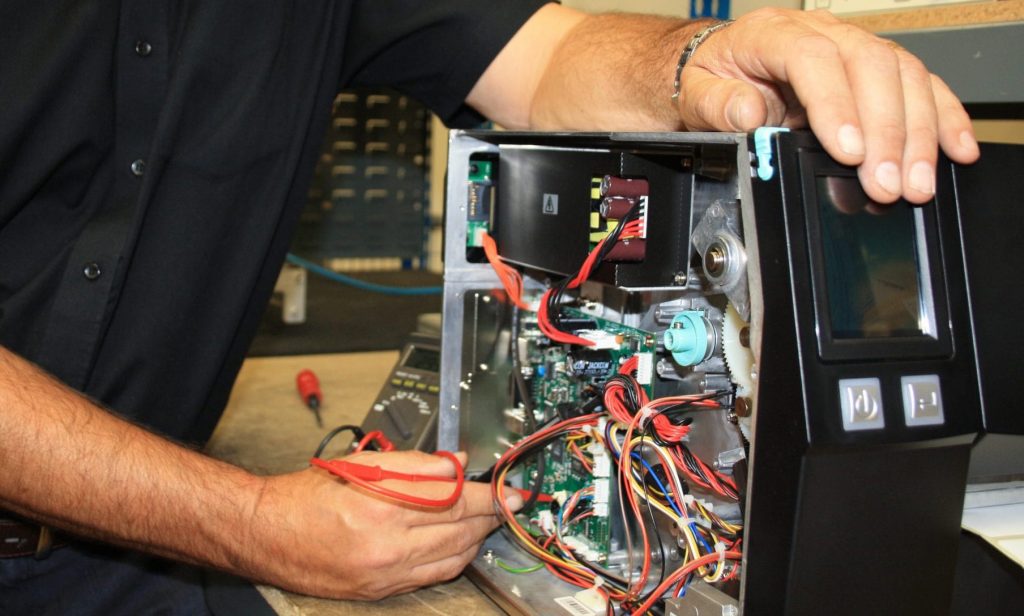
If printing labels is critical to your organisation then you absolutely need on-site support and a partner that you can rely on.  We offer a full range of service options and are available to talk through your specific needs to ensure that you have the right cover at the right price.

Here are some things you need to think about.

  • Onsite maintenance services
  • Return to workshop repairs
  • Hot-swap services
  • Our recommendations on supporting your printers
You need to weigh up the various costs of a repair strategy against a damaging stoppage.

On-Site Maintenance Services

Thermal printer repair

If printing labels is critical to your organisation (for example you need to print shipping or pallet labels every day) then you’ll need to consider on-site support. 

Coverage
 
Brand coverage.  Repair coverage is available for all the major brands of thermal label printers – Zebra, Toshiba TEC, Sato and Datamax – O’Neil (now Honeywell).  Support can also be provided for the lesser-known brands such as Godex and TSC.
 
Geographical coverage.  Levels of printer support are provided across the country – including Scotland and Northern Ireland – although this is not as easy as England and Wales – there may be a delay and increased costs providing an engineer. 
 
On-site service looks like this:
 

Annual Contracts

  • You pay for an annual support contract.
  • Costs depend on the make and model of printer, with wider printers costing more than smaller ones.
  • If your printer is more than a few months old then you pay for an engineer to visit and make a pre-contract inspection.  This inspection includes a basic service.
  • If your printer develops a fault then you call the helpline and a technician will try and get your printer up and running over the phone.  If the printer needs a visit then a visit is booked same day or next day. 
  • The contract covers the engineers time (including travel) and parts, but won’t cover parts damaged maliciously.  It won’t cover consumable parts – i.e. printheads and platen rollers. 
  • There are different levels of cover.  Some cover includes the engineer’s time replacing a printhead, other levels would see you pay the engineers time replacing consumable parts.
  • Some cover includes support for label design software such as Nicelabel and BarTender. 
  • Premium cover also includes an annual maintenance visit where the printers are checked over and any parts that are causing a problem are replaced.

‘Ad hoc’ service

Out of contract support is called adhoc printer support.

  • In the case of an adhoc repair, you call us and we quote you an hourly rate (usually around £80-100 per hour) and give an estimate on the cost of the parts. 
  • The engineer is booked to attend as soon as possible, but with no guarantees.  Contract customers come first.
  • You are invoiced for the cost of parts and the number of hours the engineer spent on the job.
  • If you are located in Scotland – you may need to pay for the engineer’s accommodation.

Return to Workshop Repairs

Mobile Printer Repair Centre

Return-to-workshop or return-to-base repair is, as the name suggests, where a thermal label printer is shipped back to a central repair centre (usually in the UK) where the printer is fixed.

You pay for the workshop time (at a lower rate than on-site service) and parts.

This is the most economic repair option – especially if it’s repaired under a contract bought at the time of buying the printer.

Obviously, returning the printer for repair is going to take longer than an on-site repair. 

Add in the time the courier takes to return the printer and you can find yourself without a printer for seven working days.

If you use a Return to Workshop or Return to Base (RTB) service, you will need an alternative way to print labels whilst the printer is away.

When you have a spare label printer, a return to workshop service is the best option.

Printer Hot Swap Repair Services for Thermal Printers

A hot swap repair is a service where you notify us that you have a faulty printer.  We immediately send you a replacement substitute printer that you can plug in and use the moment you receive it.

For this to work, printer features need to be similar – the ribbons and labels need to be the same dimensions so they fit in the replacement printer.  The interface and the printer operating language need to be 100% compatible otherwise you will need to devote precious time making the new printer work.

What’s usually a problem is if you have an unusual printer.  A printer wider than 110mm wide, a higher resolution printhead or a Radio Frequency ID label encoder. 

Hot swap service needs to be planned in advance so that we can check compatibility and have hardware available.  Contact us for hot swap label printer service for you.

Our Recommendation for Supporting Label Printers

Where Labels are Critical to Your Organisation

Where label printing is business critical – buy a second label printer – but don’t keep it as a standby printer.

Don’t pack the printer away and forget about it. We have clients who do that.

Have both printers in use.  You don’t want to find the printer hasn’t been updated or has a problem when you come to use it.  Two printers working side-by-side will halve the wear and tear on the printers – so they’re less likely to fail.

Make sure your second printer is the same as the first.

Why? Because then it’s interchangeable. The printer operators know how to operate both, the ribbons and labels are compatible and if one printer breaks down, you can switch over in minutes.

Take out extended cover as it’s usually cheapest and includes a printhead – which – if bought separately – would be half the cost of the service contract.

Try This Service Hack with your Thermal Label Printer

Take out extended (and enhanced) warranty when you buy your new thermal label printer.

When (if) the printer breaks down, order an identical printer for next day delivery.

You only buy a new printer if the first one breaks (they are generally very reliable).

Let’s look at some example costings:

On-site Maintenance

Original Printer Price £900
3 x annual contract £1,000

Total cost £1,900

Benefits

Lower cost if you have an unreliable printer.  More convenient – you call and an engineer comes to fix the printer.

Extended Warranty

Original Printer Price £900
Extended 3-year warranty £290

If your printer breaks down:

A new printer £900

Total cost £2,090

Benefits

You only buy a spare printer if you need it.
You have a spare printer.
If your printhead fails it’s repaired free of charge.

Risks

You might find there isn’t a replacement printer available next day.

Updated: 20 April 2021

What An Ops Manager Needs to Know About Printing Labels

Whilst labels might not be the most thrilling part of the Operations Manager’s role, labels can be a show-stopper, bringing your whole operation to a halt.  A well executed labelling system can be complicated but comes with some very large opportunities –  in cost efficiencies, resilience and performance.

This is what you need to know to get those benefits.

We’ll look at:

Let’s get some answers.

Your Label Printer Fleet

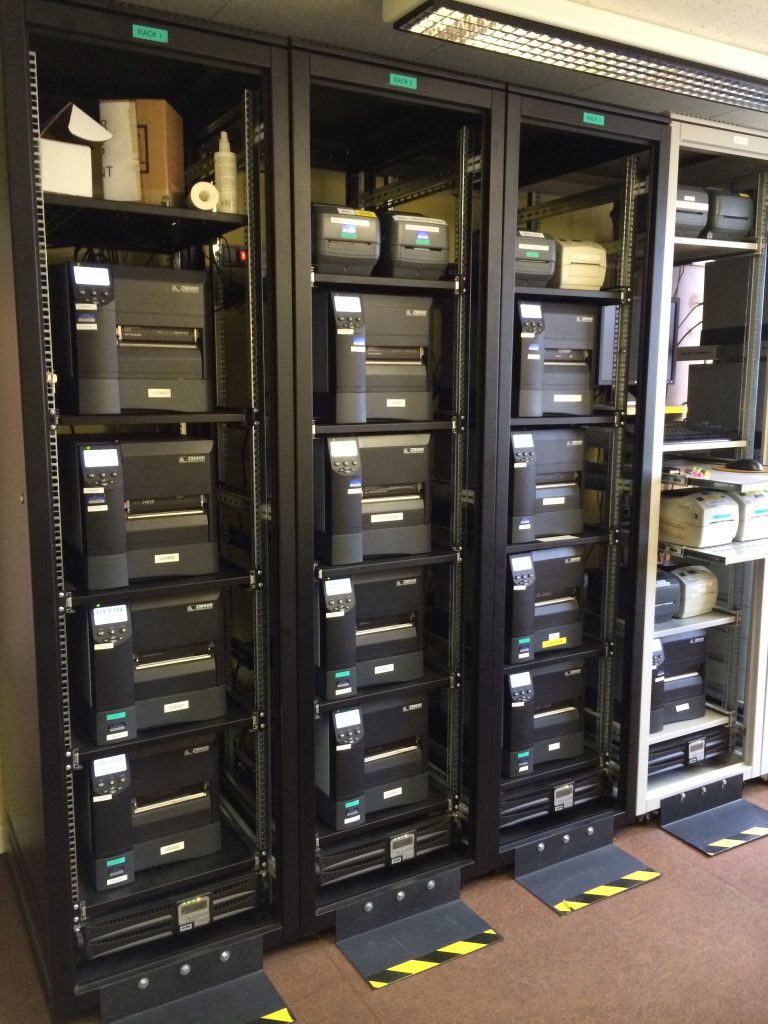
13 Zebra label Printers

In order to print labels, you need printers.  These can be thermal printers, for example Zebra or Honeywell or they might be colour ink jet from Epson or Primera. 

This is what you need to know:

  • Printer Location.  Obviously: if you can’t find a printer, you can’t print with it.  A printer that’s been put into a cupboard and forgotten about can’t be used as a backup printer.
  • Make and Model. Knowing the make and model of printer means you can establish what consumables it uses.  You know it’s capabilities i.e. performance or maximum label dimensions.  You’ll know which printers can be substituted if one breaks down.
  • Age of printer. Generally speaking printer technologies don’t advance a great deal over two or three years – what does change rapidly are security flaws. Hackers can gain access to networks through printers, if firmware is out of date.  Whilst this might not be of direct concern for operations managers, it needs to be addressed.
  • Usage.  Thermal printers keep track of how many labels and tags they print.  By looking at these logs you can see which of your printers are over-worked and which are coasting.  Depending on printer capabilities it makes sense to redeploy them to balance out wear and tear.

Direct thermal labels wear out printheads more rapidly than thermal transfer labels.  Knowing if your printer is printing onto direct thermal labels is important.

Printer Maintenance & Service

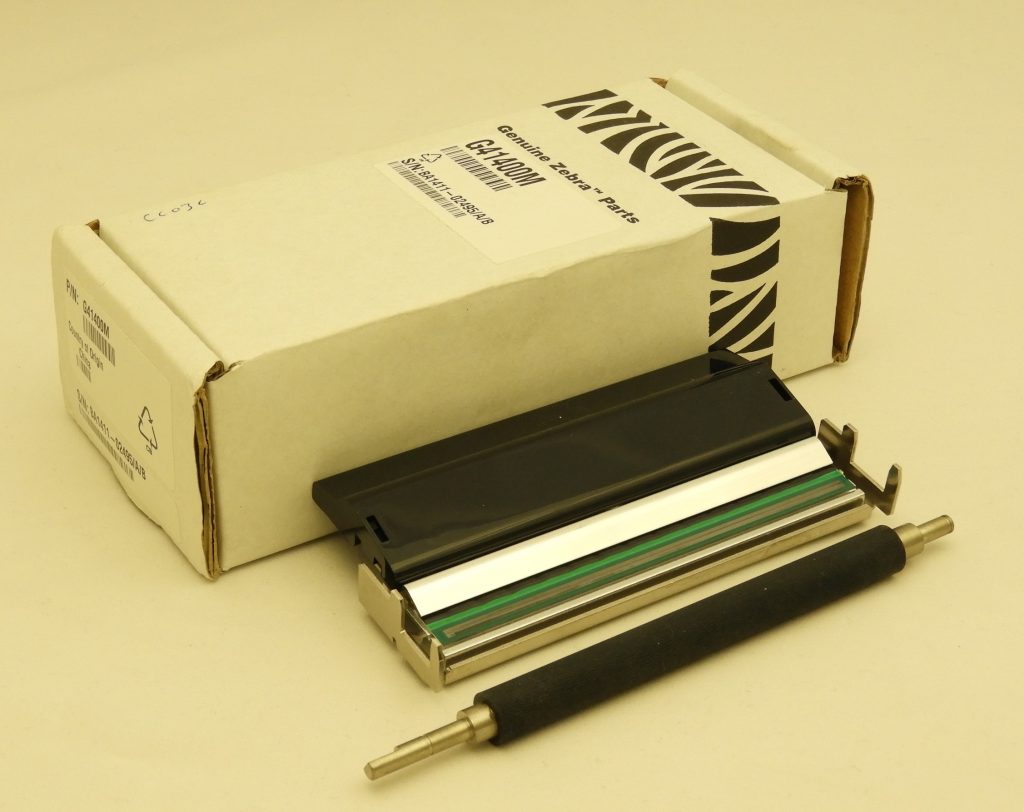
Thermal Printhead and platen roller
Printhead and Platen Roller - typical spare parts

You need to know what to do when your printer breaks down and you need to know your printers’ maintenance history.

  • What is your breakdown plan?  Many smaller businesses don’t have a plan for when their label printer stops working.  Larger organisations need to have a plan in place – with more label printers in operation – it’s not a case of if, it’s when your printers break down.

    What do you do?  Fix it yourself, call a helpline, send your printer off for repair, call out a service engineer, substitute with a redundant printer from the store room?  You need to have a plan.

  • How are printer faults reported to you?  How do you, as Ops Manager, get to hear about printer problems?  Do you get told directly? Is there a phone number on your printers for help?  Does the IT department look after problems?

    Reporting lines need to include the operations manager, because label printing problems have a direct effect on operations. 

  • Do you have all the printer support information?  When you have a broken printer you might need phone numbers for the repair service or a website address to log the problem.  You need contract details and printer serial numbers etc.  Having all this information in place can save time and prevent a lengthy stoppage.
  • What preventative maintenance are you doing?   Preventative maintence is more common with larger, industrial sized label printers, rather than desktop models.

    Printers use bearings, belts and other components that are subject to wear and tear.  If you have an on-site printer maintenance plan, this will often include an annual preventative maintenance visit by an engineer.

    If you don’t have a maintenance contract, you can pay for an engineer to come to your site and service your printer fleet.

    An alternative which is less convenient is to send back individual printers to our workshop for servicing.  Servicing also includes updating the printers firmware – making the printer more secure from hacker threats and reducing the risk of software bugs.

  • Service History.  Knowing your printer fleets’ service history means you know which machines need work and which printers don’t.  It helps you redeploy printers within your organisation.  It increases resale value if you come to replace them.
  • Spare Parts.  Printheads and platen rolls are consumable items.  They are designed to be replaced.  They can be fitted by a technically minded person in a few minutes.  If you are dependant on your labels, it makes sense to keep stocks of printheads and platen rollers. 
  • You need to know what you have, what printers they are for and where they are kept.

Being prepared gives you peace of mind you have things under control.

Label and Ribbon Inventory Control

Labels on shelves

Keeping track of labels and ink is clearly critical.  Production days (or weeks) can be lost if you run out of labels.

  • You need to know if you have a system for tracking label stock levels?
  • Do you keep emergency stocks that are kept separately – just in case someone fails to reorder labels?  If so, where?  Have you arranged label and ink stocks sitting on the shelf with your suppliers – ready to be shipped next day?  Ask us to keep stocks for next day delivery for you.
  • Do you check stock when it arrives?
    Faulty Labels
    Faulty Labels
      In case it’s damaged or faulty?  The last thing you want is to open the last box of labels to find they were damaged during shipping. 
  • Do you have a reliable way of reordering labels and ribbons?  We use a special barcode for some of our clients – when they reach the last roll or box of labels they scan a special code and a replacement box is ordered automatically.  Ask us about our automated label reorder system.
  • Do you have a secondary supply of labels and ribbons?  Critical in an emergency.
  • How long do you wait for labels/ribbons.  A shorter leadtime is preferable. Sometimes a long leadtime is inevitable and you need to plan accordingly. 
  • How often are your label deliveries delayed – unexpectedly?  Perhaps you need a more reliable supplier.

Quality Control for Printed Labels

Inline Verification System
Best way to assess barcode quality is an inline verifier

So far we have looked at printing labels – this is what you need to know about the quality of your printed labels. Recalling a batch of product or getting a fine from your customer because of substandard labels can be avoided if you know this:

  • Can you trace incoming batches of labels? If there’s a problem with label adhesive or print finish on some labels – can you identify them on the shelf?
  • Can you track who you’ve sent labels to – in case of a problem (i.e. unreadable barcodes).
  • Do you assess label quality before they’re applied to your products or outer cases – do you scan barcodes?

    Problems with barcodes can be difficult to see with the human eye. The first you will know is when you get a call from your customer to say they can’t read your barcodes.  Read the Barcodes panel for more information.

Barcodes

Tesco charge £620 (2018 prices) an incident for barcode non-compliance.  They raise the problem with their outsourced barcode support desk who determine if the codes are substandard.

Barcode printers can have wrinkled ribbons, worn out printheads and a host of other problems that stop barcodes from reading.

The only way to test if your barcodes are up to standard is to scan them.

Scanning with a smartphone is not recommended, as they can cope with substandard codes better than the laser scanners found in warehouses.

We’re happy to advise you on the best solution – contact us here – and read this article. 

  • What quality credentials do your suppliers have? This does a long way to giving you confidence you won’t experience problems.

Staff Training

Any system is only as good as the people running it.  How well it’s run depends on how well they’re trained. 

Training includes everything we’ve covered here: loading and setting up your printers, cleaning printers, checking incoming materials, checking printed labels, using label design software, reordering labels and ribbons…

  • Are your labelling systems documented (so you can train people and improve systems)?
  • Is there a training system in place?  Is it documented?  When was it last reviewed?  Does it contain out-of-date equipment, processes or software?
  • How are staff trained – a quick chat from their supervisor?  A printed (and frankly boring) manual?  A video?  Specialist external or in-house instructors? Is the training interactive and assessed?   Are there practical exercises?
BarTender Label Design Training

Expert Labels have been training people on labelling for more than 25 years.  Talk to us about putting together an on-line interactive training and assessment course for you.  For advice and help, contact us here.

Label Management Software

As Operations Manager you want a label management system that fits your needs.  Labelling Management Software is more than just designing labels – it’s the whole process of choosing what label to print and putting the correct data onto the labels.

This is what you need to know about label management systems to ensure it does what you want.

  • Is your labelling management software documented – we’ve already talked about the importance of documentation for training – but it helps you streamline and improve your processes, identify faults and on a practical level – helps you get quality certification. 
  • Where are your label templates backed up to?  As Operations Manager – you’re likely not responsible for backing up your label files – but you do want to know how you get it back if you need to.
  • You need to know what your labelling software is capable of.  If you know what it can do, you can make improvements.  Call us and we can advise you.  We work with Seagull Scientific’s BarTender and Nicelabel software. 
  • Are you taking advantage of the automation available from your software.  Labelling software can be automatically triggered from your order or production systems and automatically print labels.  You could set up a label printing system that works for months without attention. Ask us for help automating your labelling (we work internationally).
  • Do you know if your label designs are protected from accidental changes?
  • Are your label designs effectively organised and shared with users?  This eliminates duplicate label designs and manages different design versions.  BarTender and NiceLabel have the ability to set up a shared library with controlled access to different users.

Labels and Ribbons

labels and ribbons

This is where answers to a few questions can save thousands of £s. 

Ideally, you should put together a spreadsheet detailing what label sizes you buy, where you buy them from, the quantity ordered each time, annual usage and a few details about the labels – i.e. colours and adhesive type.

  • How much you spend on labels?  As a starting point – an answer to this helps you understand the size of your money saving opportunity.  Saving money isn’t just about getting a better price – it’s about buying more intelligently. 
  • Where do you get your labels from?  Your label supplier may not be top of your ‘must see’ list, but they generally have a great deal of knowledge and should be able to make recommendations about how you’re using your labels.
  • What volumes of labels you buy.  The more labels you get in one order, the cheaper per label the cost will be.  It might be that you’re buying lots of small orders and you could be buying a few larger, yet ultimately cheaper, label orders.
  • How often am I buying labels? This is tied in with the volume of labels bought.  You have to balance the cost of keeping stocks of labels against the reduction in price larger orders give you. 
  • What are my labels like? You could be buying labels that might be better suited made in a different way?  Perhaps you need peelable labels but didn’t realise you could get them?  Understanding if your labels are a good match for the task they’re being used for will help you decide if you can make any improvements.
  • Can you print labels two or more across?  Two labels across means you’ve halved the amount of time your staff are printing.  Not always possible – but worth investigating.
  • If you’re overprinting labels then you may be using thermal transfer ribbons.  Here’s what it’s good to know about ribbons?
  • Are your ribbons matched to your labels?  It might be that a ribbon made from a different material might suit your labels better – that might mean they print faster, better or cost less.  We are happy to test label/ribbon compatibility for you – with just a small roll of labels we can test different ribbons.  Find our address here: contact us.
  • What size ribbons do you have?  A ribbon that closely matches the width of labels printed means you’re not wasting thermal ribbons.  If your ribbons are much wider, we can help you get custom made ribbons that means you can save significant amounts of money on your ribbons.

Controls and Reviews for your labelling

  • When was the last time you reviewed your labelling system? If not annually – then perhaps just key parts of the audit need to be done – security issues.
  • Could labels be printed in a different way?  For example, new technology you could be using (like QR codes or RFID tags).
  • Do you have a set of benchmarks and standards your processes should be compared against? Perhaps just historical benchmarks. 
  • Do you have a report from your financial system that provides answers to supplier, frequency and cost questions?  Can you get it built in order to do a quick annual review?
  • Are you receiving updates on software improvements and newer versions? 
  • There is a lot to keep up to date with – do you have a trusted expert advisor to guide you through the complex world of labelling?

Summary

Let us help you maximise your labelling potential.  Contact us for an audit of your labelling system.  We conduct audits internationally.

Expert Labels

We’ve spent weeks creating this article – which I sincerely hope it’s useful.  I would love to hear your feedback – what’s useful and what isn’t.

Please email me your thoughts to miles@expertlabels.co.uk

Updated 11 Feb 2021.

Labelling Trends for 2021

In this article...

In this article we’ll take you on a journey into the future

    • Natasha’s law – how it affects labelling for food businesses
    • QR Codes – Covid Track and Trace introduced them to millions of people
    • The continued push to sustainability for environmentally aware producers
    • The continued expansion of digital printing
    • The importance of supply chain resilience – including your labels
    • The rise of NFC labels – contact-less technology in labels for hospitality
    • Labels as a subscription for organisations in lean supply chains
    • Cloud labelling software

Let’s explore…

Natasha's Law

Allergen Labelling
Allergen Labelling from NiceLabel

In October 2021 Natasha’s Law comes into force. The tragic death of 15 year old Natasha Ednan-Laperouse on a flight from Heathrow in 2016 highlighted the potentially fatal consequences of inadequate food labelling. 

Whilst allergy labels were mandatory on packaged foods since 2014, they didn’t apply to foods packaged on-site, such as sandwiches and sushi.  That’s changing in October 2021. 
 
We’ve written a more detailed article here – which explains what Natasha’s law applies to for food manufacturers and how you can label your products if you need to.
 

Everyone's Using QR Codes - Now Take Advantage of Them

Every's Using QR Codes
Everyone's Using QR Codes

Corona virus has opened the general public’s eyes to QR codes.  For the majority of people, if you want to go somewhere public, you need to scan a QR code using the NHS app.  For many people this was the first time they even realised they had a QR code reader on their phones.

QR codes perfect for driving customer engagement in labelling for a whole range of products – but they work for so many industries.  We’ve even used them in heavy engineering to display technical drawings. 

How can you take advantage of QR codes?

There’s a ton of benefit to be had from QR codes from opening webpages (think food menus in hospitality), opening online order forms (order from the table in hospitality), opening map apps – take  a look at this article for many more ideas. 

The problem you used to have was encouraging people to scan the codes. 

Now they know how, you can start enjoying the benefits of QR codes on your labels and packaging.

The Continued Rise of Sustainable labels

Biodegradable label
Biodegradable label being tested

At the end of February 2020  I sneaked in a trade show.  Remember them?  

One thing that was inescapable was that every other stand seemed to be promoting sustainable packaging and labelling. 

We are noticing this as well.  A large proportion of our enquiries relate to biodegradable and environmentally friendly labels – because there’s a growing number of companies who consider the environment a key company value. 

Previously the problem with sustainable labels had been volume.  Biodegradable and sustainable label materials are now more readily available than ever – and that will gradually lead to a drop in price.  If the environment is rising in your list of priorities – read this article.

Expect to see more sustainable labels in 2021.

Digital Label Printing

Epson Colorworks C3500 colour label Printer
Entry level digital label printer

Digital label printing first appeared ten years ago.  Since then label printers have realised the advantages.  Minimised set up costs means that it’s viable to print much smaller batches of labels than used to be the case.  Digitally printed labels can each be unique – because plates aren’t needed.

Again, there’s a gradual move downwards in price with digital printing presses.  High volume professional presses still cost hundreds of thousands of pounds but desktop printers cost around £1,000 and produce very good results.

Expect to see more digital printing in 2021.

Supply Chain Resilience

Operation Stack
Critical supply chain holdups (Credit: Barry Davis)

In March, Covid caused a shock to supply chains not only in the UK but around the world.  Then at the end of the year there was another shock from the threat of Brexit and the closure to inbound traffic to France – both of these lead to shortages and delays.

Throughout 2020 supply chains became a talking point in the news.

One key part of the modern supply chain – something small but critical – is labelling.   Without labels – nothing can move. 

In order for your supply chain to be resilient – you must make sure you have labels to print onto – and systems that ensure the correct information is printed onto those labels.

Perhaps we’ll see more consideration to supply chain resilience in 2021.

NFC Labels

Near Field Communication (NFC) labels are a type of Radio Frequency Identification (RFID) label.  We’ve talked about RFID labels for decades – so what make me think 2021 will be the year it’s all going to take off?

Covid makes me think these types of label will gain ‘traction’.  I don’t think we’ll see an explosion of use, but I think the pandemic will have accelerated their use.

A lot of people don’t like touching things.  Some people appreciate the sheer convenience of a label that you simply wave your phone near and it does something.  Combine the two and you have more people using NFC technology.

NFC Label
NFC Label

The ability to read NFC exists on pretty much all Android and Apple phones.  It doesn’t require you to download an app.  That makes it’s adoption much easier.

The other factor in the adoption of NFC is cost.  As with most things, technology products drop in price as volumes rise. 

Like QR Codes, NFC gives you the ability to open websites, display order forms, identify people, products and places, provide Wifi or other logins – all from an easily programmed ‘electronic label’.  In fact – it’s so easy to program, you just need a smart phone and a free app – and you can be programming your NFC tags.

Contact me to find out how you can jump ahead of your competition and make your users lives’ a little easier in 2021.

Labels as a Subscription

If you’re male you might be familiar with dollar shave club.  Described as “Everything you need in the bathroom – from razor blades to grooming products – automatically delivered to your door. It doesn’t get any simpler than that.

This is interesting.  Most people visit the supermarket weekly.  It’s easy enough to grab razers, shaving cream and so on when you’re there – but the Dollar Shave Club grew from nothing to a $1Billion company in less than FIVE years – the convenience of subscription is pretty compelling.

Label Subscription Service

Labels lend them extremely well to subscription.  Every month or two a selected box of labels arrives at your door – automatically.  Twice a year you review how many labels you’re using and adjust how much you’re receiving.  It doesn’t get any simpler than that.

Ask us to provide you with labels on subscription.  Order once and forget about reordering.  We’ll take care of everything.

If you use thermal ribbons with your labels – let us ship the exact number of rolls you need to match your labels – so you never over stock and never run out.

Contact us and ask about labelling subscriptions.

Labelling Software in the Cloud

For years now, software and resources have been moving to the cloud.  So why is that you still have to download label design and print software?

Whilst other software publishers have been slowly preparing their software for the cloud, Nicelabel, a leading company in the label design space have had software running in the cloud for years.

Nicelabel’s Label Cloud:

Nicelabel Cloud Printing
Web Print Labels
  • Design labels using their design software,
  • Save it centrally on the web – accessible to anyone who needs it,
  • Share one set of data – eliminate duplicate and out of date records
  • Simple software subscription
  • Easily Scaleable

I think the move to cloud computing will extend to label design software – and Nicelabel seems to be ahead of the game.

  • You won’t be surprised to know, we can help you with your cloud labelling.  Get in touch!

Useful Links

Natasha's Law Compliant Food Label Printing

Natasha’s Law and What You Need to Do About It.

In this Natasha’s Law article – learn:

  • What Natasha’s Law is
  • See if it affects your business
  • How the law affects you
  • How to make your labels compliant
  • Brother’s standalone label printer for ingredient labels
  • Useful links

What is Natasha's Law?

In October 2021 a set of food labelling laws called Natasha’s Law comes into force.

The tragic death of 15 year old Natasha Ednan-Laperouse on a flight from Heathrow in 2016 highlighted the potentially fatal consequences of inadequate food labelling. 

Natasha, who was allergic to sesame, stop breathing on the flight to Nice.  Despite using her medication, she died from a severe allergic reaction.

Natasha had eaten a sandwich which failed to list sesame as an ingredient.  The sandwich had sesame seeds baked into the dough.

The sandwich, made by Pret a Manger, had no specific allergy warnings and Natasha ate the sandwich, believing she was safe.

Whilst Natasha’s case was well publicised she is not alone.  A handful of people die each year from food allergies and many more are made ill.  Food allergies are estimated to affect one in eight children in the UK to some degree. Around 2% of adults have food allergies. 

Natasha’s law passed through to law and new regulations were prepared in 2020. 

Who Does Natasha's Law Effect?

The new regulations only apply to food known as ‘pre-packed for direct sale’ (PPDS), which is food packaged onsite by a food business or company or school canteen before a customer selects or orders it from the same premises.

Food prepared and manufactured off site already needs to include ingredients and allergy warnings but until October 2021, food made onsite and packaged didn’t.

If you make food on site and package it before selling it – Natasha’s law applies to your business.

Allergen Labelling
Allergen Labelling from NiceLabel

How do the Food Labelling Changes Affect You?

If you make food that is pre-packed for direct sale, you need to list all the ingredients – paying particular attention to 14 specified allergens.

From 1st Oct 2021 PPDS food needs to be labelled. Foods that are made to order and non-packaged foods are not affected by the new regulations (most can’t be labelled anyway).

Allergens in the food as either an ingredient or a processing aid needs to be listed on the label.

From the food information regulations: “the mandatory information must be easily accessible, in a conspicuous place, easily visible and clearly legible. Information must be indelible (where appropriate for example on food labels where it needs to withstand handling). The information must not be hidden, obscured, detracted from or interrupted by other written or pictorial matter or any other intervening material.”

How to be Natasha's Law Labelling 'Compliant'

Natasha's Law Compliant Food Label Printing
Food Label Printing

Printing ingredient labels at the time of manufacture presents a problem to many small food retailers such as sandwich shops and cafes.

Your labels need to be printed on-site at the time of packaging.

Fortunately, there is a solution. Using an inexpensive £250 label printer and pre-printed labels – you can quickly and easily label your food products with beautiful, eye-catching and professional branded labels.

Using labelling software like Seagull Scientific’s BarTender, or NiceLabel – you can build a library of label designs that can be printed on demand.

Your labels can include the best before date and all the required ingredient information.

Brother's Standalone Label Printer

One particularly practical solutions is Brother’s TD2020 printer. 

It doesn’t need to be plugged into a computer to print labels. 

You design the label designs on a PC, download the label designs to the printer and use the printer keypad to select what you want to print.  It can even run off batteries.

Watch the video below and contact us to find out how you can try it.

Useful Links

Cosmetic Labels

Cosmetic Labels

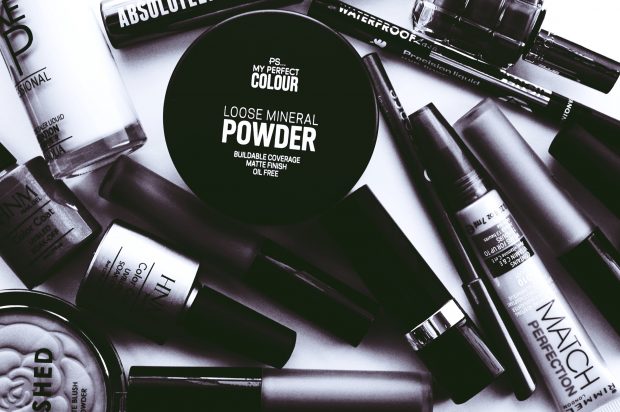
Expert Labels has been providing beautiful cosmetic labels since 1995.  

We offer a full range of highly functional labels that will make your product standout.  

With our many years of experience in this specialist field we can print an established design or provide you with our in-house design services to create your own label, tailored just for you.

We have experience of working with major brands, start-ups and fast-growing companies such as Glitterbels (Nails by Annabel) who provide a vast range of nail polishes and associated products.

According to data analytics company Nielson, 70% of consumers’ purchase decisions are made at the shelf in-store.

Standing out is essential

What you can expect from working with us.  We understand that:-

  • Your label must comply to regulations
  • Product packaging is often small or are tricky shapes to label
  • The label must accurately convey the product contents, which often means good product colour matching
  • Products need to stand out to compete; firstly, for shelf space and then for customer attention
  • Performance of the label for the product’s lifecycle is important, from delivery, in store and in your customers’ home
  • If you’re selling on-line your product needs to photograph well too

Many of our customers have worked with us for over 20 years.  They say it’s because everyone at Expert Labels cares deeply about understanding them, their needs and delivering exceptional customer services, something we’re all very proud of.

To discuss your needs, please get in touch or phone 01359 271 111 our expert advisers would be delighted to help you.

Whilst we can print less than 1,000 labels for you it does not make for an economical price,  we therefore request orders over this quantity. 

If you’re new to cosmetic labelling here’s our guide for what to look out for.

Consider the label material before you think design

Jumping straight into the design of your label can be very exciting.  However, your label has a number of important jobs to do.  For performance durability, labels for cosmetics need to resist moisture and oils.  They also need to be able to stand up to a lot of handling so making sure the label stays in place, doesn’t easily tear, scratch or wrinkle is vital to your customer’s brand experience.  Choosing the appropriate material for your label is an important consideration.

Convey product contents

Skin tones and accurate colour for make-up or nail polishes is important in guiding your customers to make the best selection; and crucially for them to repurchase.  This means your label partner must have a deep understanding of inks and coatings to ensure your label is perfect to represent and showcase your product to its very best.

Regulations

There are numerous ways to include the significant information, such as ingredients and consumers warnings that you are required to include on your label.  Not to detract from the beautiful design of your label you can meet the regulatory requirements by using peel and reveal labels that peel away from the bottom of the label to reveal an additional layer that details the extra information.  To include all of the information required it is likely the text will be fine and very small, therefore the inks used need to be high definition for legibility. 

Product Quality Assumptions are Made Based on the Quality of Marketing and Labelling

We all make assumptions about the quality of a product or service based on the quality of the marketing, labelling or packaging.  We are seeing that more and more cosmetic companies are choosing a premium, luxury look and feel. 

There are many materials that can achieve this from clear labels with a crisp design to eye catching bright colours, striking monotones, foil finishes, shiny and tactile or sustainable and recyclable materials.  Add to this innovative print finishes that can be achieved using sophisticated digital print processes, or decorating and embellishing using debossing, embossing or foils and raised varnishes.

Branding

Your labels need to reflect your brand values.  For example, if your products are acrylic and high gloss that needs to be reflected in your packaging and labelling.  If your product is 100% natural or kind to the environment, when your label and packaging is reflective of the products’ attributes your brand become stronger, believable and trusted.

Sustainability 

McKinley research shows that over 65% of consumers will pay more for sustainable products.  Cosmetic consumers want brands they can trust to protect the planet as well as their own health.  The consumer market is engaging more with brands that are cutting down on packaging and using packaging that is easily recycled – this includes labels too.

To discuss your needs, please get in touch or phone 01359 271 111 our expert advisers would be delighted to help you.

Epson Colorworks C3500 colour label Printer

Why Buy a Colour Label Printer

When you need relatively small quantities of colour labels on a regular basis – investing in a label printer will save you money and increase convenience.

  • Print labels on demand – no more waiting for labels to be manufactured and printed for you.
  • Print unique labels – a label customised to each product.  Different size, style, shape or colour permutations – can be printed for each product
  • Personalised labels to meet your customers demands, made specially for them.
  • Prototype packaging and labelling with photo-quality colour labels – testing different messages and colours.
  • Simplify label stock control – by printing what you need when you need it – no stock control headaches or running out of labels.
  • Meet GHS requirements by printing required pictograms and graphics using a colour label printer.

Roll labels V Sheet labels

Roll label printers have important advantages over inexpensive sheet label printers.  Here’s why you should choose a colour roll label printer:

  1. Labels on rolls are less expensive compared to sheet labels. Whilst the printers cost more, roll label printers will save money in the long run.
  2. Wide range of materials to print onto – paper, gloss paper, plastics, permanent and peelable adhesives.
  3. The labels and the printed image are more durable (water resistant and suffer less sun damage) and
  4. You can print just one label or hundreds of labels – no need to print whole sheets of labels.
  5. Roll label printers are more durable and reliable than sheet printers

Do I Print My Colour Labels In-House?

The decision to print coloured labels in house or through label printers comes down to:

How many labels do I need?

If you need lots of labels then it’s more convenient to have labels preprinted. Our rule of thumb is that it isn’t cost effective to pre-print fewer than 1,000 labels.


Colour label printed with Colorworks printer
Vibrant Colour Labels printed with an Epson C3500 colour label printer

Do I need special materials or label finishes?

Not all label materials can be printed onto using a colour printer. On a recent project we couldn’t find removable plastic labels for a client – that were inkjet printable. If you need gold foiling or a special varnish you’ll need pre-printed labels.

However, pre-printed labels aren’t all perfect…

Adding unique information such as batch codes and serial numbers at print time isn’t possible without over-printing.

Keeping track of hundreds of different product labels is a headache. 

How Raza Nostra Solved Their Label Problems

Raza Nostra is a Madrid-based artisan meat specialist.

Black and White Labels Aren’t Good Enough

Raza Nostra provide their customers with high quality meat and black and white labels don’t reflect the quality of the brand.

Not only did black and white labels fail the company’s artisan brand, the labels didn’t include coloured images and country of origin flags.

Perhaps the largest – practical reason why pre-printed labels were a problem was wastage. Raza Nostra requires 30 different types of labels and the minimum order volumes of its label supplier forced the company to buy far more labels than it needed, resulting in storage expenses and high levels of wastage.

Raza Nostra needed a solution. 

Colour on demand

Raza Nostra  decided to test Epson’s TM-C3400 on-demand colour label printer. The C3400 prints custom colour labels onto matte and gloss label media between 30 and 112mm wide – perfect for Raza Nostra’s product labelling requirements.

Another important consideration are prints that are highly durable, water-resistant and smudge-proof. Raza Nostra found that the Epson labels easily withstood storage conditions in its large fridges.

Raza Nostra needed to print up to 1,500 new labels per day and the entry-level Epson printer had no problem keeping pace, producing 100 labels in just three minutes. 

Flexibility, quality and economy

Raza Nostra’s testing proved the concept of in-house label printing and they bought two Epson printers. Using the printers, the company can now produce exactly what it needs, when it wants, which has dramatically reduced costs and wastage.

Another benefit is that it’s easier for the company to keep up with constantly-changing expiration dates, prices and barcodes.

Furthermore, Raza Nostra now has the flexibility to change its label designs as often as it wants and can print flags and images in full colour. 

Useful Links

Epson – Colour Label Printers

Updated 29 Nov 2020

Karen Winter – Marketing Director

Karen joined the company in 2019 to help drive the company forward. She has great knowledge of marketing in a wide variety of fields. We were delighted when Karen decided to join us.

When Karen is not working she enjoys heading outside for long country walks and relaxing picnics with her family.

Labelling for Pharmaceutical Companies

In this article...

In this article you’ll learn about Labelling for pharmaceutical companies

    • What’s special about pharmaceutical labels?
    • Labelling to meet the EU Falsified Medicines Directive (FMD)
    • How to assure quality and traceability for pharmaceutical labels
    • How to print on-demand pharmaceutical labels
    • Label software for printing pharmaceutical labels
    • Automatically test and verify the labels you print
    • Barcode scanning
    • Validating pharmaceutical labelling systems

Learn from some pharmaceutical labelling case studies

Labels for Pharmaceuticals

Pharmaceutical labels are diverse. 

Braille, special cuts and extra thick booklet labels are some of the many labels we are asked to print for pharmaceutical customers. 

Other requirements are for special materials that need to withstand chemical or alcohol cleaning.

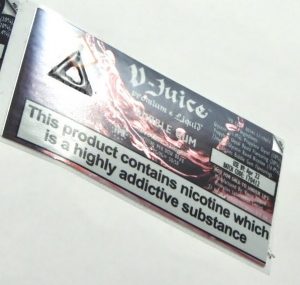
Labels with Tactile Marks and Braille

Tactile Mark label
Tactile Mark printed on a label

Tactile mark is the name given to a raised part of the label that can be felt with the finger tips.

In the image to the left the label has a warning triangle tactile mark. 

Usually they are used to indicate to blind people that the product is potentially dangerous.

Tactile Marks are printed after the main label is printed and need a special ‘screen’ which adds to the cost of the label.

Braille is another feature that often appears on pharmaceutical labels.  Braille is printed using a special varnish over the top of the label.

Booklet and Peel & Reveal Labels

Booklet Labels - rectangular

Booklet labels feature regularly with Pharmaceutical labels, to include multiple languages for international products. 

While lower cost peel and reveal labels are able to print up to 5 pages, booklet labels (or Fold Out Labels) can cope with many more leaves.

Not all thermal label printers can cope with thick booklet labels. 

Experience has shown us the printer needs to be tested and compatible.

See the video below showing the booklet labels on the printed through a Sato CLnX thermal printer.

Cryogenic Sample Storage

Adhesives sometimes need to be able to withstand cryogenic temperatures for sample storage. 

Ask us for a sample of cryogenic labels with ultra low adhesive for cryogenic storage down to temperatures of minus 196 C.

Falsified Medicines Directive and Tamper Evident Labels

To comply with the Falsified Medicines Directive, labels need to tamper evident. 

That is, clearly show the consumer that the box hasn’t been opened. 

This can be done by using a special label material that breaks when the box is opened. 

Alternatively a label cut with a special die that tears when it’s opened is a simple cost effective solution.

If you need to apply your labels with an applicator – you need to test these tamper evident labels before committing to large quantities.

Ultra destruct label

Quality and Traceability for Pharmaceutical Labels

Quality and traceability are critical to Pharmaceutical labels – so all the labels we produce come with a certificate of conformity if you ask for one. 

They are made in factories that have the highest quality standards – the BRC AA Rating – ensuring 100% traceability of materials and audited standards of hygiene not only for pharmaceuticals but food also.

Quality of print is monitored by camera systems designed to spot any non-conformance and stop production to prevent sub standard products from leaving the factory.

Material wastage is another factor in quality management processes and these are carefully monitored.

Efficient Thermal Label Printers for Pharmaceutical Printing

The most efficient and effective technology for printing labels is thermal transfer. 

Thermal Transfer printers are fast, capable of printing onto single labels and reliable enough to print onto labels 24 hours a day.

Unlike laser printers, thermal label printers work with a wide range of label materials – including paper and plastics.

Thermal printers were designed in the 1970s to print barcodes and optimised for printing 1D and 2D codes (like Datamatrix and QR codes).

Helathcare Label Printer
Thermal Transfer Label printing

Our pharmaceutical customers sometimes need to print onto booklet labels.  We’ve successfully tested booklet printing with Printronix and Sato printers. 

Another alternative to printing onto booklet labels is to print onto clear labels and apply these to the top of the booklet label.

Labelling Software for Pharmaceutical Companies

BarTender Label Design Training
Label design and printing software for pharmaceutical companies

Only a few label design software packages meet EU and FDA regulations (21 CFR Part 11) for traceability.  We work with Seagull Scientific’s BarTender label design and printing system.  It’s powerful enough to link to ERP programs like Oracle and SAP to make label printing automated, accurate and efficient.

Ask us about BarTender label design and printing software.  With experience installing into Pharmaceutical companies – we can install, validate and train users – giving a complete turn key solution.

Automatically Test and Verify the Labels You Print

Labels can be automatically verified for quality.  Using a camera and software from Omron, our customers are able to automatically monitor each label printed and verify it matches the control label. 

When the camera sees a non-compliant label, the printer stops and warns the operator. 

Inline Verification System
Omron Microscan's Print Quality Inspection System

Text, images and print quality – along with barcodes – can be checked automatically and results retained for audit.

There are a few printers available with in-line barcode verifiers – but ask us about our print quality inspection systems – that scan not only the barcode by monitors for marks, scratches as well as incorrectly printed data.

Advice on Barcode Scanning

Which Barcode Scanner
25 years of barcode scanning experience

Printing labels is usually a customer requirement, but scanning barcoded labels can make your own internal operations more efficient and accurate. 

With 25 years of experience with printing and scanning barcodes – let us help you choose 1D and 2D barcode scanners and handheld terminals to suit your situation.

Contact us for barcode scanning advice.

System Validation

Setting up or altering labelling systems in pharmaceutical companies can be time consuming and tedious.  A comprehensive and detailed list of tests need to be compiled and tested. Steps in putting together a system validation include.

  1. Define a User Requirements Specification.
  2. Find appropriate software to complete the task
  3. Install and test the software
  4. Systematically work through a validation checklist to ensure the system works as expected.

Expert Labels are able to provide software and hardware for testing.  We can help with putting together a URS and have experience compiling a validation checklist. 

Ask us about validating your pharmaceutical label systems or read our article about validating your labelling system here.

Useful Links

Label Artwork – Everything You Need To Know

If you’re having labels printed, here the artwork advice you need for getting your printing labels – everything you need to know about file formats, print resolution, graphics formats and how to specify colours.

Artwork Checklist

The two most important pieces of artwork advice for printing labels:

  • Artwork Files: In Adobe Illustrator format or Print Ready PDF at 300 dpi or better.
  • Colours: Pantone references provided or CMYK reference numbers.

Here’s what you need to know to have great label artwork.

  • Our artwork specification
  • What print-ready PDFs are
  • What Adobe Illustrator (AI) files are
  • Advice for colours in your artwork
  • How your logos and graphics need to be formatted
  • How your images need to be sent to us
  • Special considerations for Peel & Reveal labels
  • What to do if you need help with your artwork
  • Proofs – what they are and what happens

First - a Few Words About Label Artwork

If you want labels with a design on them, then you need artwork.

Artwork is the technical term we use in printing to refer to the image files you send across to us to turn into beautiful colour labels.

We don’t want to print substandard labels for you, so the wrong artwork can delay your labels whilst we get it right.

We can’t start the process of printing your labels until we have artwork to the required standard to work with.

You need to send us your artwork before we can confirm a delivery date for your labels.

The count-down to your finished labels doesn’t start until you have ‘approved’ your final label designs, so bear that in mind.

Label Artwork specifications

Artwork should be supplied as either high resolution (300 dpi plus) print ready PDF or as Adobe Illustrator (AI) files.  Fonts should be embedded and colours should be CMYK.

Here’s what all that means…

Print Ready PDFs

The odds are that you know what a PDF is.  They are everywhere.  Print-ready PDFs are a version of PDF with various options turned on.

Make the PDF resolution at least 300 dpi – dpi explained

With small text (less than 5 point) you’ll struggle to read text, even at 300 dpi, so higher dpi files will make your labels look better (and that’s what we’re in the business of doing).

Black text is set to 100% black – not CMYK.

Any trim marks are set outside the live print area.

You’ve included 2mm of bleed space.

Bleed space is where the colours of the label extend beyond the edges of the label.  This means there won’t be an unwanted white border around the edge of your label.

Fonts are embedded or converted to outlines so we don’t have to try and find equivalent fonts – which may not look exactly as you want them.

Adobe Illustrator (AI) files

The AI file format is a creation of Adobe Systems from their Adobe Illustrator drawing software.

AI files include Vector Images in them.

Instead of using bitmap images – a series of coloured dots – or pixels – that come together to create an image (which is what photo editing software produces), AI images are made up of lines connected by points with colour filled in.

We love the AI format because  vector based graphics never lose their quality if enlarged.

Colours

We work with CMYK colours on our digital label presses and use Pantone referenced colours on some of our traditional label presses. 

If you are working with Pantone colours, let us know the references so we can match them.

Ideally, send us a sample so we can do a colour match.

RGB is usually used for on screen graphics, but printing uses the CMYK colour system – whilst we can convert RBG to CMYK, the colours will look slightly different.

Images

The larger the image the better for us.  The minimum we need 300 dpi – but as our printing presses can print at 1200 dpi – there’s great scope for improvement.

Please embed your images in your files.

Logos and Graphics

Logos and graphics are best when they are provided as vectorised file. 

As I explained above, vectorised files are the image files produced by programs like Adobe Illustrator.

This means we can shrink or enlarge your logo to fit the label size, without a loss of image sharpness.

Whilst we can work with bitmap images – it isn’t ideal – and we want your labels to be ideal!

Artwork for Peel & Reveal labels

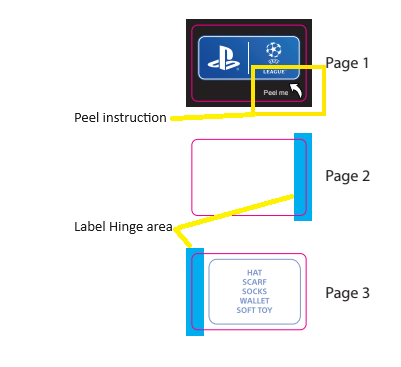
Peel & reveal labels are unique.  They are multi-layer and are made with a hinge. It’s not always obvious to the label user where they peel the top layer (that depends on the hinge) so the top layer needs peel instructions.

Because there is a hinge on peel & reveal labels, that needs to be included in the artwork.  Make sure there is an area that is at least 3.5mm wide on the label where the hinge is glued.

Take a look at this example of peel & reveal artwork to see these two features.

Example of peel and reveal label artwork

What to do if you're struggling with Artwork

If it’s a simple problem (like resizing an already high resolution file) then our studio can fix problems and get your label printing ready free of charge.

If your artwork needs more work (i.e. split into colour layers or converted from low resolution to high resolution) then we can use our helpful graphic designer to work on your files. 

This will cost around £50 per hour – with an estimate provided before we start.

The Last Stage - Proofs

When your designs have been adjusted and made ready to print – we send you over a proof. 

A proof can be a PDF showing you the colour, layout and size your label will take – in a quick and easy digital file that we email to you.

Wet-proof or ‘machine pull’

We can sometimes produce a ‘wet proof’ or ‘Machine Pull’ from our digital press – that will show you the exact layout and colours to expect. 

It may not be the exact same material you’re planning to use (especially if it’s a biodegradable or other specialist material) but it will be similar. 

Wet-proof labels don’t always get cut out – so it may just be on a roll of continuous material – for you to get an idea of colour and layout.

There is a small charge for wet-proofs and it can only be done on a digital press.

This is your chance to make last minutes changes if you need to before you ‘approve’ the design and printing begins.

Artwork Advice for Printing Labels - a Summary

  • Produce your own designs and send them over to us as a:

Print ready PDF or AI file, CMYK colours, 300 dpi or better, with 3mm bleed, with embedded or vectored fonts and Pantone references if required.

  • Allow enough time (and budget) to have your designs changed – possibly by our designer.
  • Check over the proof – this is your last chance to get it right.
  • Approve the artwork.
  • Relax whilst we make your labels.

Updated 23 Aug 2024