Don’t Let Your Labelling Hold You Up
Call: 01359 271 111


You get optimum stock levels and the right labels when you need them.
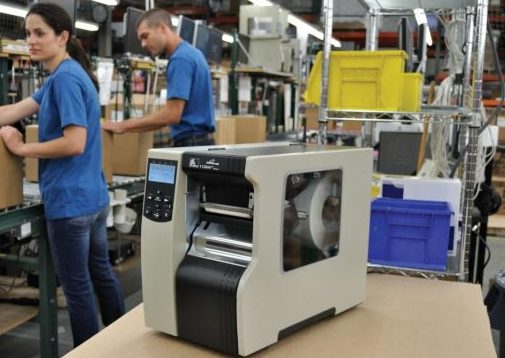
You get configured and supported label printing hardware as part of your managed labelling service.
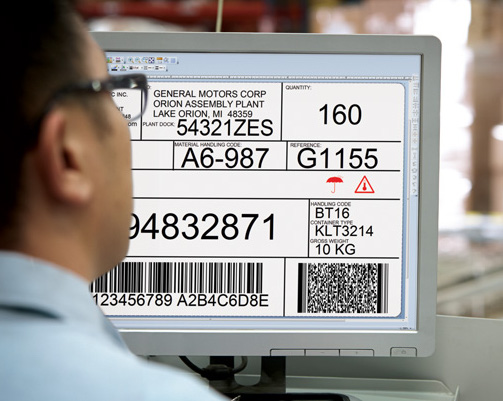
You get integrated labelling with your corporate IT systems. Your printer and label usage is monitored using software. You get trained staff and supported software.


On a recent visit to the Zebra Experience Centre (you might be mistaken for thinking I’m writing about a zoo) – a large demo room that Zebra Technologies have set up to showcase their complete range of products – I spotted this.

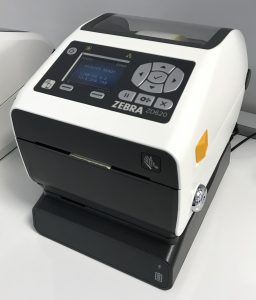
These are desktop printers equipped with battery packs.
These are chargeable battery add ons which fit to the base of the ZD420, ZD410 and ZD620 printers. Designed to provide power for a complete 8 hour shift, this now means your desktop printers don’t have to be used on a desk.
Imagine: a trolley or even a vehicle can now become a printing station. Charge the battery pack, fit the battery to the printer base and start printing.
In fact, you don’t need to remove the battery to charge it.
The charging base and battery are separate items and cost around £60 for the base and £300 for the battery. For up to date prices contact us for a quote.

Fits the ZD410, ZD420 and ZD620 – both the standard and healthcare printer models.
If you’d like to know more, contact us or press the chat button in the bottom right of the screen.
Interestingly, the Zebra website doesn’t mention these battery packs, but they are genuine Zebra products.
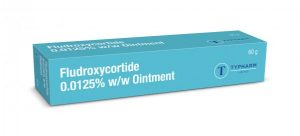
Typharm is a family owned pharmaceutical manufacturer located in Norwich. They have been making ointments and treatments since 1985.
“The EU’s Falsified Medicines Directive came into force in February 2019 and part of that was a need to print high quality barcodes. We understood thermal label printing but needed a fully tested label printing system which verified the labels and worked with the data hub”. Tom – Typharm
Whilst Typharm could print thermal labels, it didn’t have up to date software in order to design Falsified Medicines Directive (FMD) compliant labels – i.e. the Datamatrix code. Another requirement of the FMD was to have barcodes that had been quality tested.
Typharm contacted Expert Labels and a meeting was organised. During the meeting BarTender label design software was examined and we talked about how they could overcome the barcode testing problem.
A year earlier we had worked with Identify Direct, a company that implements Omron Microscan in-line barcode verification solutions. Using camera technology and software, it is able to compare what should have been printed with what was coming out of the printer.
It was able to work so quickly, it was able to stop the printer and warn the operator if the label being printed was wrong. Typharm decided to use the Printronix T8304 thermal label printer.

Using this printer the inline verification system is able to stop the print, retract the label and print hash marks over it – marking it quite clearly as rejected, eliminating the possibility a non-compliant label makes its way onto a product. It even had a warning beacon attached to the printer.

The Printronix printer, IVS barcode verifier and BarTender software were installed and set up on the same day. Expert Labels specialised in the BarTender software whilst Identify Direct handled the hardware and verifier.
The label design in BarTender appeared simple at first glance but below the surface, needed to combine a simple to use data entry form along with a data matrix 2D barcode which brought together the data that the FMD requires. What was also important was printing the same FMD data in ‘human readable’ form on the label.
We set it up so that when the user came to print their label, the form was displayed and prompted the user to enter the various pieces of data demanded by the FMD. Things got easier for the user but more difficult for us, the label designer. We wanted to check the data entered was correct – so we needed to set up data entry rules.
Another component of the label that BarTender handled was a unique serial number that needs to be included on the FMD label. Typharm used a company to generate the random serial numbers. The numbers were sent to Typharm as a CSV file. BarTender took the CSV file and used the data on the label, printing different labels for each number in the file.
The project was completed in two stages. First: printer, verifier and BarTender software installation and training – done on site. Second: setting up the serialisation data from Tracelink when it was available for testing. The second stage was done remotely.
Training in the BarTender label design software took place in person at Typharm. The users were given a workbook to fill in as they worked through various exercises that practiced the features they needed for their label but also demonstrated other features that could help them in the future.
Thanks to Typharm putting the project together in good time before the FMD deadline, we were able to complete the project with time to spare. There were a few problems with the data received from Tracelink but these were resolved by Expert Labels, working remotely, in a matter of hours.
Ever woken up in the night in a cold sweat. Your worst nightmare is playing out. Your label printer has stopped working, and you can’t print labels. Your product can’t be shipped and the factory grinds to a halt.
No – I can’t imagine you’re kept awake at night thinking about labels – but perhaps you should.
Everything from label and ribbon stock outs, printing the wrong data through to printers breaking down can stop production. I can list 30 reasons why your labelling might stop and for most modern production processes, no labels means no production.
Whilst the chances are relatively small – I’ll bet you’re like most UK manufacturers – you’ve not given this insignificant but critical part of your production process a second thought.
Labelling is one of those lesser thought-of but critical points in an organization. Not being able to put labels onto your products means that your customers can’t accept your products and your goods can’t be shipped.
If you’re concerned about bringing your operation to a grinding halt because of your labelling – here are five things you can do to reduce the risks to your organisation:
Having just one printer opens you up to risk. It breaks and you stop printing labels. Eliminate that risk with a spare printer.
The good thing about spare printers is that they’re not redundant. Having more than one printer means you can share the workload across your printer fleet – reducing wear and tear at one single point.
As long as you can print labels with another printer if primary printer gets dropped and damaged, you eliminate that risk.
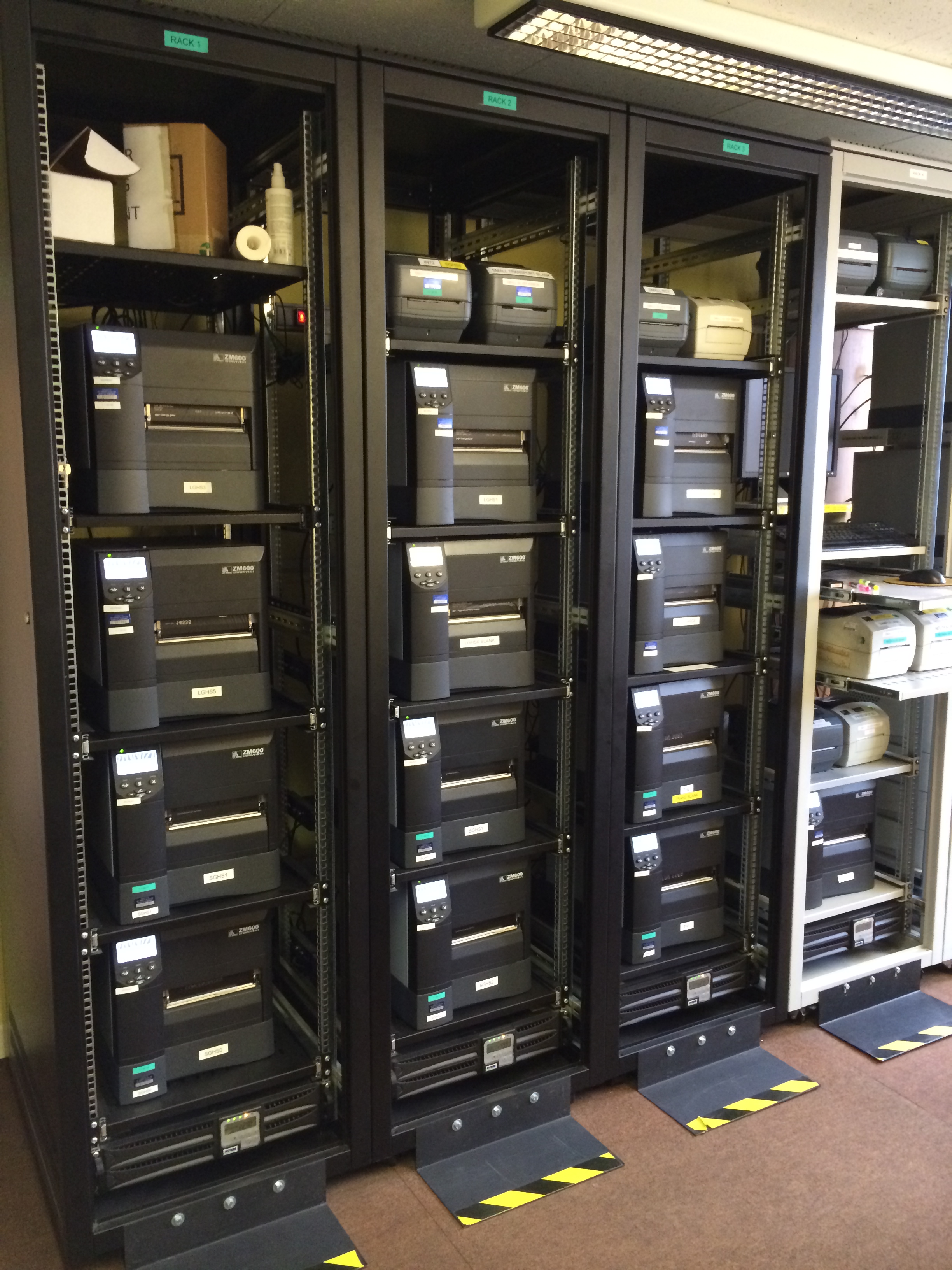
Having one make of printer means interchangeable ribbons, labels, printer language and parts.
Spare printheads can be used by any one of your printers so you only need one spare.
Maintaining label and ribbons stocks are more simple.
Printers can be redeployed without needing to change printer drivers and software.
Your operators and support team know how to operate and maintain them and don’t need to spend time learning the quirks of each type of printer.
For a modest increase in cost, you can network your printers. Most industrial class printers come networked as standard.
Having a printer visible on your network means the printer fleet can be managed more effectively.
Plus, of course, you can to print from any computer on the network.
With larger organizations, an IT manager’s neck is on the line if backing up is not done.
However, with some smaller businesses, back ups, especially on a standalone label printing computer, are not always in place.
This is a schoolboy error but could stop printing.
An almost invisible error is where a label looks right but the barcode contains the wrong data. It might be something like the wrong use-by date or product serial number.
Industrial grade labelling software like Seagull Scientific’s BarTender enables you to automate data entry. Date codes can be calculated and included in printed labels. Product serial numbers can be taken directly from your database or scanned from an existing barcode.
To make sure though, a quality control process that checks labels should be in place to spot data entry errors.
We’ve got 25 other ideas to either reduce your labelling risks or improve the efficiency of your labelling system. Visit us to assess how resilient your labelling system is.
There’s lots of reasons why your labelling system can break down. Whilst they’re uncommon, the consequences of labelling failure can be catastrophic.
Thermal label printing is a complicated, specialist area of expertise that can be made much more efficient, effective and reliable by working with thermal labelling experts.
Servicing thermal label printers is different from standard office printer servicing.
Roll labels are made in a different way to sheet paper and buying them is different. With the likelihood that you’re using different materials such as plastics and thermal coated papers – purchasing labels is more complicated than paper.
Thermal ribbons are different from toner-based or liquid inks.
The capability of a thermal transfer printer is significantly different to that of a flat sheet inkjet or toner-based printer.
All these factors can mean a much more efficient process or a chaotic or inefficient labelling solution.
For a no commitment chat to see if you could be getting better results from your labelling or help identifying potential danger points, give Miles a call at Expert Labels Limited, click the chat button in the right bottom corner or email info@expertlabels.co.uk and ask for Miles.

Compliance is a part of doing business and I thought I’d take the chance to update you on BPA free labels. BPA will be banned in the EU next year and this is a chance for you to be a step ahead of your competitors with your BPA compliance.
BPA (Bisphenol-A) is a chemical used in plastics and is also used in some thermal label materials.

Thermal labels, if you remember, are the kind that don’t need an ink ribbon to print. They are usually used in short life labels like free food or courier labels. If you’re not sure what yours are – hit the Web Chat button in the bottom right of the screen or Phone us on 01359 271 111
BPA is thought to be involved in a long list of health conditions from cancer, brain problems, heart conditions – in fact it could be blamed for pretty much every ailment that affects us. Whilst there’s little actual medical evidence to prove beyond doubt, it has been decided by regulators around the world that the world is probably a better place without BPA. So, on 2nd January 2020, BPA will be banned in Europe.
No. It only appears in some economy grades of thermal labels. There are too many label brands to list here – but if you contact us, we would be happy to confirm if you are compliant or not.
Many of our suppliers are working hard to remove BPA from their thermal labels and be BPA free before the UK deadline.
Certainly most of our direct thermal labels will be BPA free in the next few months, if not, there will be BPA Free thermal labels alternatives we can help you with.
After January 1st, 2020 it will be illegal for us to supply Thermal Labels containing BPA.
Contact us here at Expert Labels Ltd – on the chat button on the right of the screen, by phone on 01359 271 111 or email at info@expertlabels.co.uk and we’ll be happy to help.
Take a look at the UK Food Safety Agency’s page on BPA in plastics. Click here.
Updated 13 Jun 2019.


On May 22 Zebra hosted it’s regional partner summit at the Belfry golf resort in Sutton Coldfield, England.
It was a chance to hear Zebra’s strategy for the near future, about their products and learn where they see the market moving to.
They started by telling the assembled resellers how Zebra is performing in the market. Number one in most parts of the world for hand held terminals, printers and scanners. Growth is in double digits in most sectors and revenue is up significantly.
A couple of common themes appeared.
Zebra’s DNA concept came up regularly.
This is a suite of software and design philosophies that tie together their hand held terminals and printers.
The rush towards Android powered handheld terminals has begun and Android is replacing Windows Mobile.
Zebra described how its range of terminals outperform the competition in terms of durability and security.
Not much was said about printers. Zebra’s focus is on its handheld terminals.
What is Zebra’s print DNA? It’s a suite of applications to manage your printers. Zebra bill their Print DNA as a ‘revolution’ in on demand label printing – but what does it mean for you – someone who prints labels with Zebra printers? How will it help you – how will it make your life easier?
Not only is Print DNA software, Print DNA includes how the printers are built – the design philosophy behind the printers. The user experience that makes using a Zebra printer common across the various models.
Print DNA makes it easier to set up, remotely manage and integrate Zebra printers. Print DNA includes innovative applications, utilities and developer tools.
Print DNA takes advantage of the Cloud to talk to printers.
Print DNA is part of Zebra’s Savanna concept. Zebra Savanna is a data intelligence platform that collects data from all kinds of Zebra devices (scanners, handheld terminals and Internet of Things) and printers and with specially written software, you can use it to power your business decisions.

Print DNA depends on Zebra Printers’ Link OS printer ‘operating system’. Link OS runs on all modern printers – no matter what type of material it prints – receipts, labels or RFID. Link OS helps you configure the printer and diagnose problems. It also secures the printer and enables the printer to interpret other printer brands languages, so a Zebra can easily replace a TEC printer for example.
Improves productivity, problem free integration, simplified device management, rapid application development and enterprise grade security.
Using Link OS, you’re able to view your bluetooth printers via Android terminals. Using Printer Profile Manager Enterprise you’re able to see what your printer is doing and recieve alerts.
You’re also able to update your printer over Bluetooth – no need to physically lay your hands on it.
Print DNA means you can easily set up your printers to talk directly to databases and computers on your network – without the need for label design software. Useful if you have a standardised print requirement.

For anyone who has more than a handful of Zebra printers – PME is going to make your life a whole lot easier. Using PME you can see which of your Zebra printers is working – which have run out of paper or ribbons. Filter your fleet to see particular models or printers in a particular location. Use PME to schedule firmware updates, schedule maintenance – all through your printers’ internet connection.
One idea was to schedule a test label print for 7am. When staff arrive in at 8am there’s a test label printed on their printer. If there are any problems with the label, the user is instructed to contact IT and arrange for the printer to be cleaned or repaired.
Printer Security – PrintSecure
For more information about Zebra’s Print Secure – visit this page.
Any printer connected to your network through it’s Ethernet connection has the potential to be hacked. Once the hacker has access to your printer they are able to log labels being printed and send themselves that data. If you’re printing information like names and addresses, they can collect all your customer records.
At a more mundane level, operators have been known to access a printer and set up different printer languages and other settings – for their own convenience.
Using PrintSecure you can limit access to printers and selectively switch off different communication features. Disable Bluetooth, block FTP access and lots of other communication settings.